
Wichtlify Pro
Less work for bigger Secret Santa groups
Small one-off groups work without Pro. Pro helps with returning groups, missing wishes and changes after the draw.
- Use Smart Draw for recurring groups with group history
- Plan reminders and group messages with less one-by-one follow-up
- Use Repair, insights and reusable setup when the group needs extra help



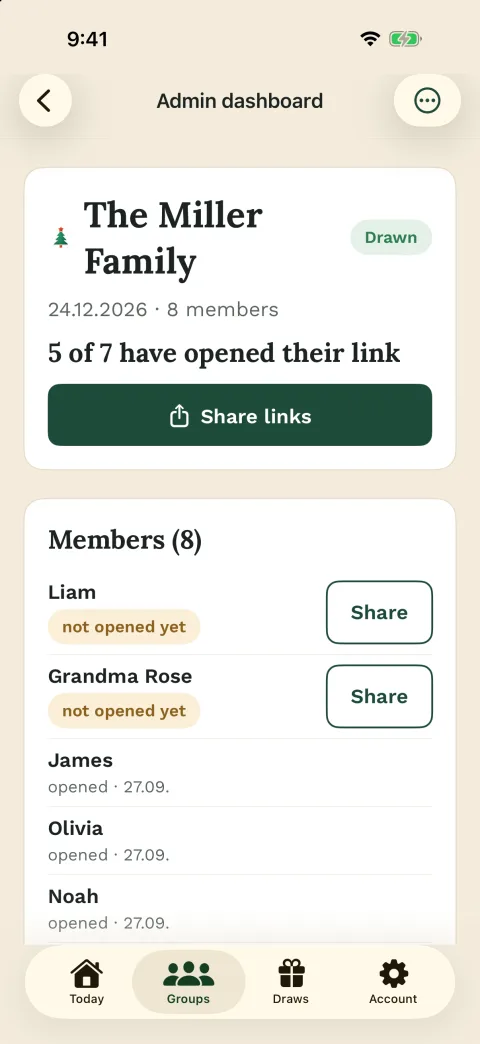


Extra with Pro

Decision
Use Pro when the admin work starts repeating
Standard Wichtlify covers the core round: create the group, add participants, set exclusions, run the secret draw and share personal links.
Pro becomes useful when the same work keeps coming back: recurring groups, missing wishes, late changes after the draw, or a group that is large enough that manual follow-up takes real time.
If you organize the same family, friend or team round every year, Pro helps you avoid starting from zero again while still keeping the standard round simple for participants.
Pro fits when
- The group is larger
- The round repeats each year
- Wishes often need reminders
- Late changes would be stressful
Draw
Smart Draw and Repair help when the draw is harder to manage
Smart Draw is for repeat rounds. When the same accounts and group history are used again, Wichtlify can try to avoid assigning the same people as last time where possible.
Repair is a safety net for special cases after the draw. If someone drops out after assignments already exist, Wichtlify can change only the assignments that must change where a valid correction is possible.

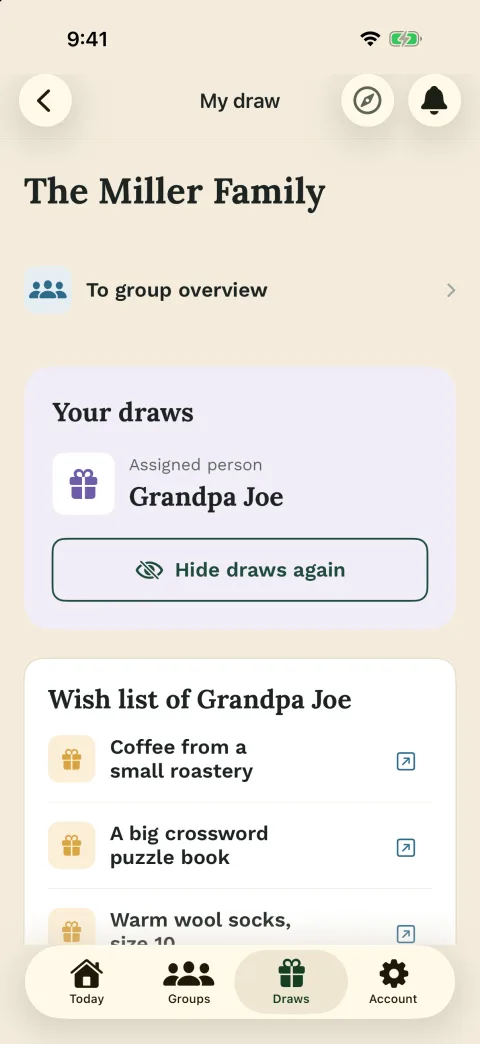
Useful for
- Yearly groups
- Similar participant lists
- Dropouts after the draw
- Avoiding a full redraw where possible

Communication
Reminders and broadcasts reduce manual follow-up
Automatic reminders are designed for missing wishes before the event. You plan them in advance, and Wichtlify can remind people who still have no wishes saved.
Broadcasts are for group updates such as wishes, dates or important deadlines. They are Wichtlify messages, not WhatsApp or SMS delivery, and app push depends on the participant using the app and allowing push.

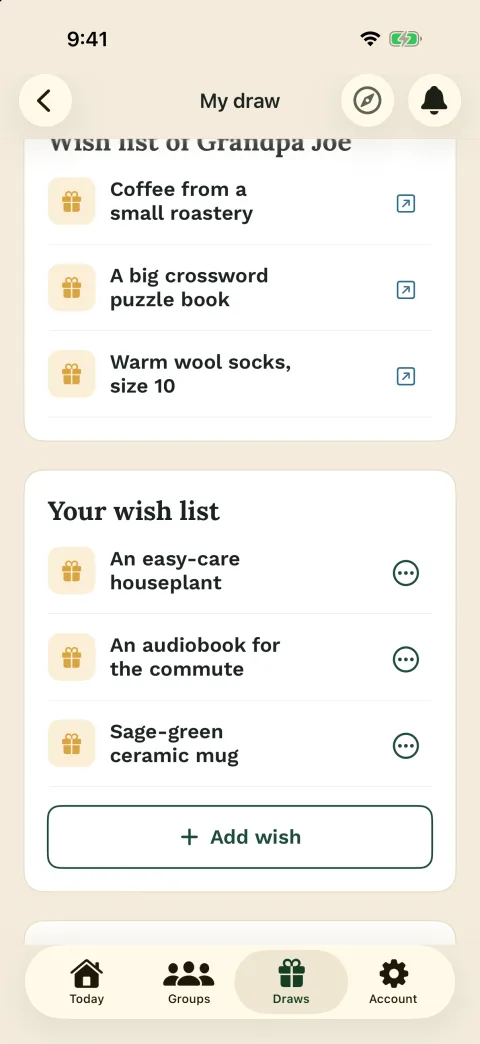
Helps with
- Missing wishes
- Event reminders
- Group updates
- Less one-by-one follow-up

Repeat and readiness
Reuse the group and keep a closer eye on readiness
Blueprints help recurring groups start from an existing setup instead of rebuilding everything from scratch. The organizer can adjust participants before running the next draw.
Insights help organizers who want to see where the group is ready and where something may still be missing. Group photo and anonymous partner Q&A are smaller extras that can make the round feel more personal and make gift questions easier.
Helpful extras
- Start from an existing group
- Adjust participants before drawing
- See where something is missing
- Add a group photo and Q&A
Purchase
Compare Pro here, activate it in the app
You can decide in the browser whether Pro fits your group. To activate Pro, open the iOS or the Android app and use the in-app purchase there.
Participants do not need their own Pro subscription just because the organizer uses Pro features for the group.
Important to know
- Compare Pro in the browser
- Activate Pro in the iOS or Android app
- Compare Pro in the browser
- Participants do not need their own Pro
Next steps
Check whether Pro solves the real bottleneck
If the standard round is enough, keep it simple. If reminders, repeat draws or late changes create work, choose the Pro feature that matches the problem.
Automatic reminders
For groups where missing wishes before the event would otherwise need repeated manual follow-up.
Plan wish remindersSecret Santa online
Use the standard Wichtlify flow when the group only needs setup, exclusions, a secret draw and personal links.
Prepare the standard roundSecret Santa rules
Set budget, wish deadline, gift rules and exclusions before Pro reminders or draw options matter.
Set the rules first
Draw explained
Understand the standard draw before deciding whether Smart Draw or Repair would help your group.
Understand the drawSecret Santa gift ideas
Clarify gift direction and wishes before reminders become useful for the group.
Prepare gift guidanceFAQ
Frequently asked questions
Do I need Pro for a normal Secret Santa round?
No. Standard rounds with personal links, exclusions and wishes can be organized without Pro.
Which Pro feature should I consider first?
Start with the problem you actually have: Smart Draw for recurring groups, automatic reminders for missing wishes, broadcasts for group updates, insights when you want to see what still needs attention and Repair for special cases after the draw.
How do I get Wichtlify Pro?
Wichtlify Pro is activated in the iOS or the Android app as an in-app purchase.
Do all participants need Pro?
No. Participants do not need their own Pro subscription just because the organizer uses Pro features for the group.
Can I buy Pro on the web?
Not currently. You can compare Pro here, but Pro is activated in the native iOS or Android app through an in-app purchase.
Does Smart Draw work with completely new groups?
Smart Draw needs relevant account and group history. If every year starts with new accounts or a completely new group, Wichtlify cannot reliably use previous assignments.
Use Pro when the round creates real admin work
Compare the Pro features, then open the app when repeat groups, reminders, Repair or a clearer admin view matter for your group.
Start a gift exchange