
Secret draw
How the Secret Santa draw works
Add the names and set any exclusions. After the draw, each person uses their own link to see who they are buying for.
- Avoid self-matches before sharing assignments
- Use exclusions before the draw starts
- Share one personal link per participant



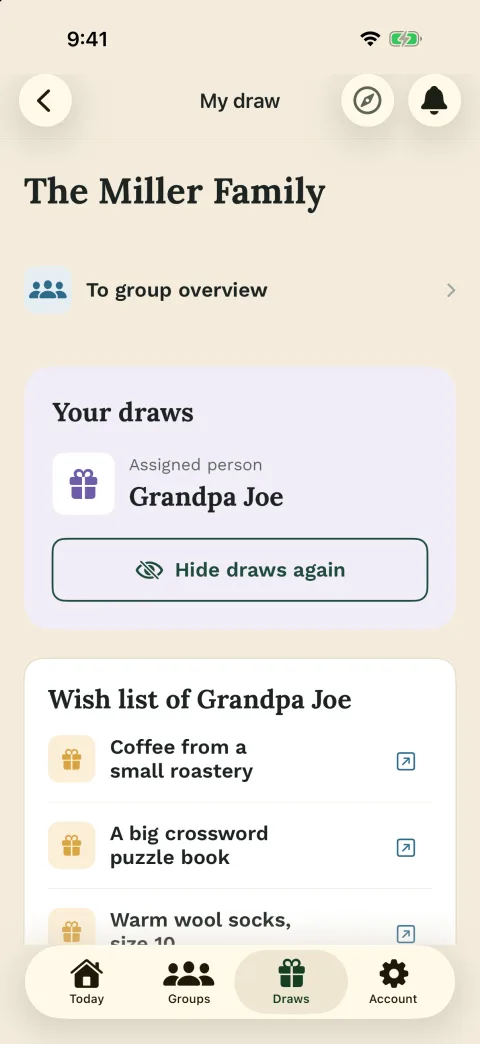




Before drawing
A good draw starts with the real participant list
Before you run the draw, the organizer should know who is really taking part. Add the participants, check whether couples or household members should be excluded and make sure the group rules are clear enough for everyone.
Exclusions only help when they are saved before the draw. If budget, gift type or handover still need a decision, set budget and gift rules first.

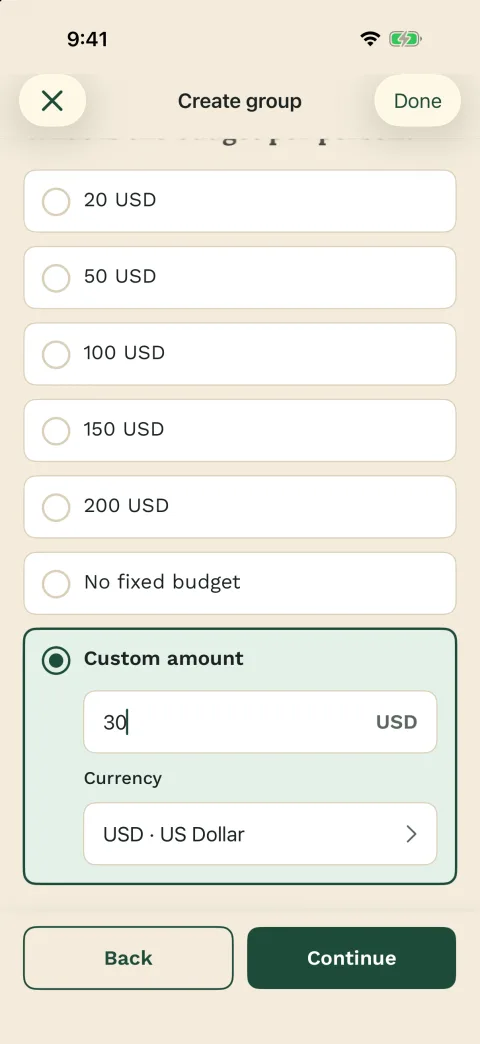
Check before drawing
- Final participant list
- Exclusions before the draw
- Budget and date
- Check that the draw can work

Secret assignment
Wichtlify creates personal assignments instead of one shared list
When the organizer runs the draw, Wichtlify avoids self-matches and uses the exclusions that were saved beforehand. The result is a secret one-to-one assignment for every participant, not a spreadsheet or chat message that reveals the whole group.
If the exclusions are too strict, Wichtlify should not force a bad result. The group needs to loosen an exclusion or adjust the participant list until a valid draw is possible.
Wichtlify checks
- No one draws themselves
- Saved exclusions are considered
- Each person gets one assignment
- No public result list

After drawing
Each person opens only their own assignment
After the draw, the organizer shares personal links. Each participant opens their own link and sees only who they are giving to. If wishes are enabled, the wishes of that person can appear there too.
This is useful when the assignment should stay private instead of becoming a shared list. If you want participants to join with as little effort as possible, you can also share personal links without collecting every email address.

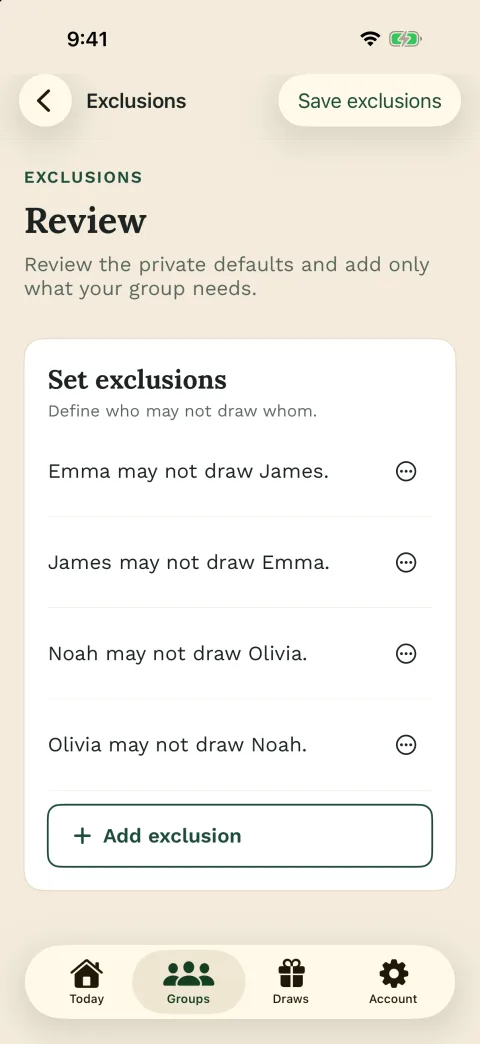
Participants see
- Their own assignment
- Optional wishes
- Important group information
- No other people's results

Pro safety net
Smart Draw and Repair are extra help for special cases
For a normal one-time Secret Santa round, the standard draw is usually enough. Pro matters more when the same group repeats the draw or when a completed draw needs a careful correction after someone drops out.
Smart Draw can try to avoid repeating last year's assignments when the group keeps working with the same accounts. Repair is a Pro safety net for special cases after the draw and changes only the assignments that need to change.

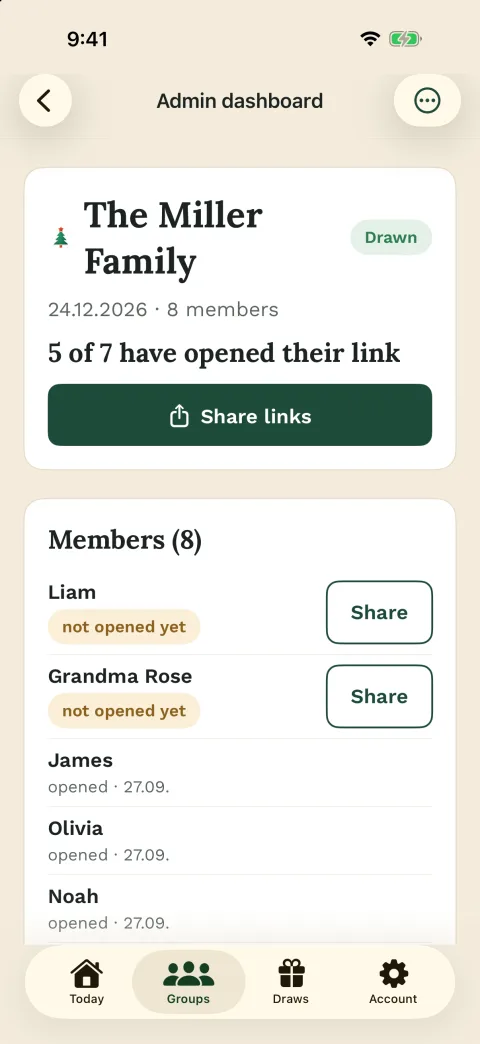
Pro can help with
- Recurring groups
- Same accounts over time
- Dropouts after the draw
- Less disruption than a full redraw
Next steps
If the group needs more than the draw
Once the draw logic is clear, continue with setup, rules, easy participation or Pro options when your group needs them.
Secret Santa generator
For organizers who want to create the group, add names, save exclusions and run the secret draw.
Prepare the secret drawSecret Santa rules
Use this before drawing when budget, gift type, handover, exclusions and reveal expectations still need decisions.
Set the rules before drawingSecret Santa without email
For groups where the organizer wants to add participants by name and share personal links afterward.
Plan easy participationOnline draw
For deciding whether your group needs secret personal assignments or a simple open randomizer.
Choose the right draw methodRandomly assign people
For the year-round case where each person should secretly receive another person.
Assign people secretlySecret Santa exclusions
For planning couples, households, siblings or teams that should not be matched before the draw.
Plan exclusions in detailWichtlify Pro
Shows the optional safety-net features for recurring groups, configurable reminders, Smart Draw and Repair.
Review Pro extrasFAQ
Frequently asked questions
How does a Secret Santa draw work in Wichtlify?
The organizer adds participants, saves exclusions before drawing, runs the secret draw and shares personal links. Each participant sees only their own assignment.
Does Wichtlify prevent self-matches?
Yes. Wichtlify prevents people from drawing themselves and can also use saved exclusions when a valid assignment is still possible.
What happens if there are too many exclusions?
A complete assignment may become impossible. In that case the group needs to adjust exclusions or the participant list before running the draw.
Can everyone see the full result list?
No. Wichtlify is built for secret personal assignments. Each participant opens their own link and sees only who they are giving to.
When do I need Smart Draw?
Smart Draw is a Pro feature for recurring groups. It can try to avoid repeating previous assignments when the group keeps using the same accounts.
What is Repair after the draw?
Repair is a Pro safety net for special cases, for example when someone drops out after the draw. It aims to change only the assignments that must change.
Prepare the secret draw
Add the participants, save exclusions before drawing and share personal links only after the group is ready.
Prepare the draw