
Secret Santa rules
Set the rules for your Secret Santa
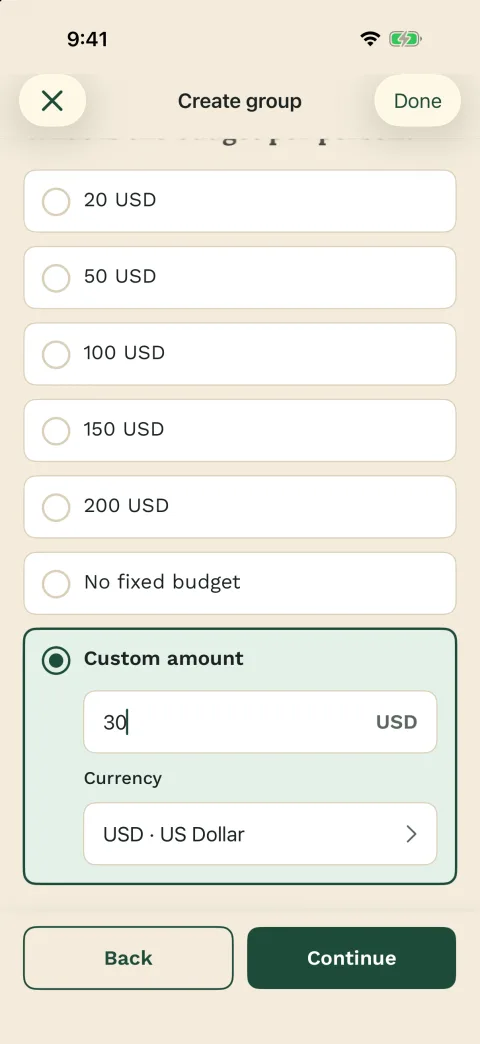
Agree on the budget, date, type of gift and handover before the draw. That way, everyone knows what to expect.
- Decide who joins, the budget and the gift style before the draw
- Save exclusions before assignments go out
- Use Wichtlify for the secret draw and personal links









Basic rules
The most useful rules are the ones people need before buying gifts
Start with the decisions every group needs: who is taking part, by when people should join, whether the budget is fixed or a range, and when gifts are exchanged.
Then make the gift guidelines concrete: new, handmade, used, funny, useful, or strictly within a certain theme. If the group still needs inspiration after the budget is set, choose gift ideas that fit the budget.
Set first
- Who joins and by when
- Budget or budget range
- Gift type and tone
- Handover or shipping plan
Template
A copyable rule template prevents follow-up questions
Use the template as a short group message before the draw. It covers the decisions people usually ask about later without turning the rules into a long explanation.
Secret Santa rules template
Secret Santa rules

Budget: __
Gift by: __
Handover: __
Gift style: practical / funny / personal / neutral
Exclusions: couples / households / teams / none
Wishes: optional / encouraged / by __
Link rule: Open only your own link and do not forward it.
Template covers
- Budget
- Gift deadline
- Gift style
- Private-link rule
Exclusions
Exclusions belong before the draw, not after the surprise
If couples, household members or certain people should not draw each other, that needs to be saved before the draw. Wichtlify can consider exclusions as long as a valid assignment is still possible.
New exclusions do not automatically change a result that has already been drawn. If you want to understand the assignment step itself, see how Wichtlify handles exclusions.
Check before drawing
- Who is taking part?
- Who should not draw whom?
- Can Wichtlify still create a valid draw?
- Are the rules known?
Wichtlify role
Wichtlify supports the rules that belong to the draw
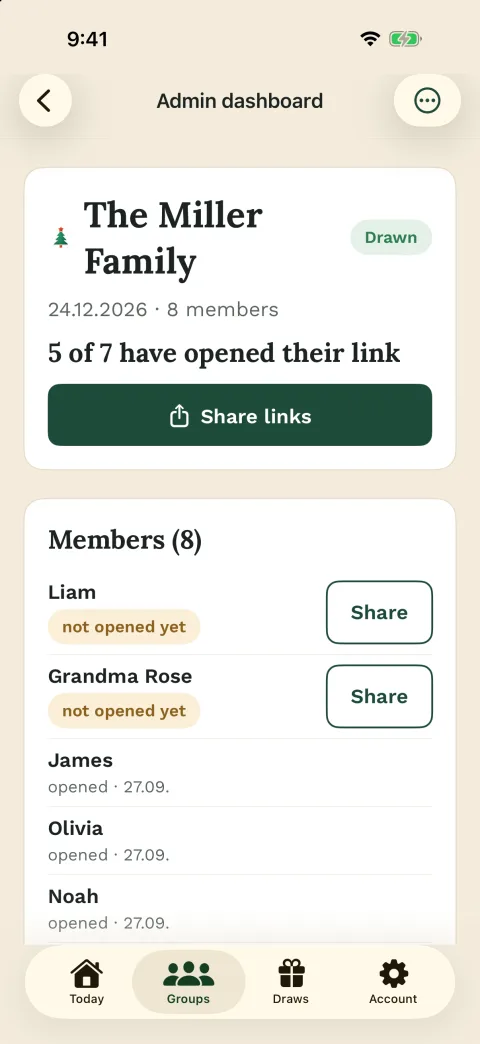
Wichtlify prevents self-matches, uses exclusions that were saved before the draw and shares the result through personal links. Each participant sees only who they are giving to.
Gift style, shipping, humor boundaries, replacement rules and the actual handover are still group agreements. Wichtlify helps organize the round, but it does not decide what counts as a good gift for your group.
Wichtlify helps with
- Secret assignments
- No self-matches
- Exclusions before the draw
- Personal links
Communication
Rules and links should not get mixed up in the chat
Share the important rules first and run the draw only when participants and exclusions are correct. After the draw, share the personal links so every person can open their own assignment.
If your group uses WhatsApp, keep the chat message short and let Wichtlify handle the draw. You can still share the rules and personal links in WhatsApp.
Good order
- Clarify rules
- Save exclusions
- Run the secret draw
- Share personal links
FAQ
Frequently asked questions
Which Secret Santa rules should I set first?
Start with who joins and by when, budget or budget range, gift type and tone, handover or shipping, wishes, exclusions and draw timing. Those decisions prevent most late questions.
Can Wichtlify consider exclusions?
Yes. Exclusions saved before the draw are considered as long as Wichtlify can still create a valid assignment.
Are gift rules part of the app?
No. Gift style, humor boundaries, shipping, replacement rules and the handover itself are group agreements. Wichtlify helps with setup, the secret draw, links, exclusions and optional wishes.
When should I share personal links?
Share them after the participant list, exclusions and main rules are clear and the secret draw has been run.
What if something changes after the draw?
Decide whether the group needs a new agreement, a fresh draw or a targeted correction. Pro Repair can help in special dropout cases when as little as possible should change after a draw.
Are wish lists required?
No. Wishes are optional. They can make gift choosing easier, but a Secret Santa round can work without them.
Next steps
After the rules are clear, prepare the round
The next practical questions are usually online setup, draw behavior, gift ideas, chat sharing or a White Elephant-style exchange.
Secret Santa online
Use this when the rules are settled and you want to prepare the group online with personal links.
Turn the rules into an online roundSecret Santa invitation texts
Use the settled rules in copyable invitations, reminders and personal-link messages.
Turn rules into an invitation
Draw explained
Explains how secret assignments, self-match protection and exclusions work in Wichtlify.
Understand the draw rulesSecret Santa gift ideas
Helpful after the budget and gift rules are clear, but the group still needs gift direction.
Turn gift rules into ideas
Secret Santa with kids
Use this when children need especially simple rules for budget, gifts, parent help and exclusions.
Set kids rulesSecret Santa on WhatsApp
Shows how to explain the rules briefly in chat and share personal Wichtlify links afterward.
Share rules and links in chat
White Elephant
For groups that want a playful exchange format or combine a normal gift with a White Elephant assignment.
Separate gift rules from game rulesSecret Santa exclusions
For turning couple, household, sibling or team rules into concrete exclusions before drawing.
Define exclusion rulesClarify the rules, then create the group
Set budget, date and exclusions first, then create the group and run the secret draw when the important decisions are clear.
Create a Secret Santa group with rules