
Online Secret Santa
Organize Secret Santa online
Create the group, add the names and run the draw. Then send each person their own link.
- Keep the online round private from the start
- Run a secret draw instead of posting results
- Prepare personal links, exclusions, wishes, budget and date




Preparation
Settle the round first, then run the draw
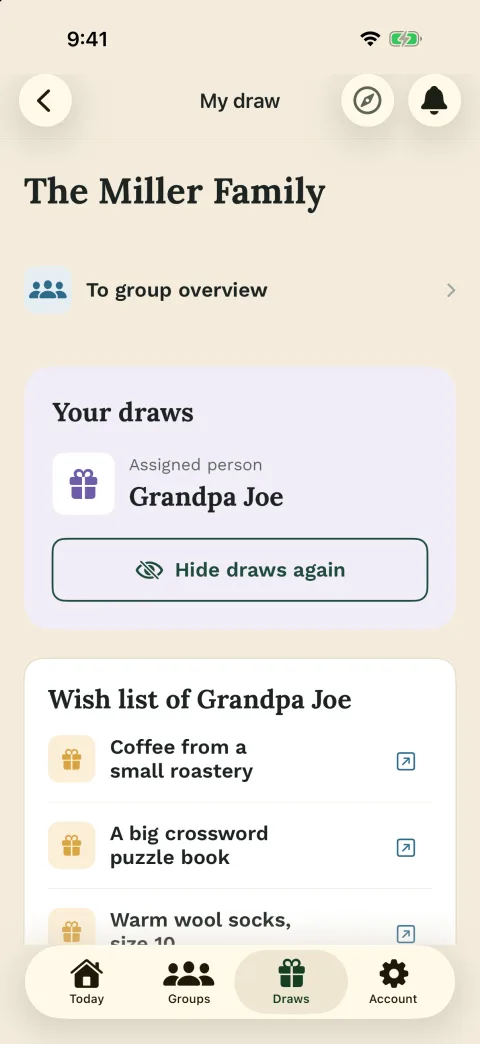
Online Secret Santa is ideal when your group is distributed, but the draw still needs to feel simple and private. The organizer creates the group in Wichtlify, keeps the setup in one place and avoids turning the chat into a result list.
When the group is ready, Wichtlify runs the secret draw and gives each participant a personal link. If you want to understand self-matches and exclusions before inviting everyone, see how the draw works.
Before the draw
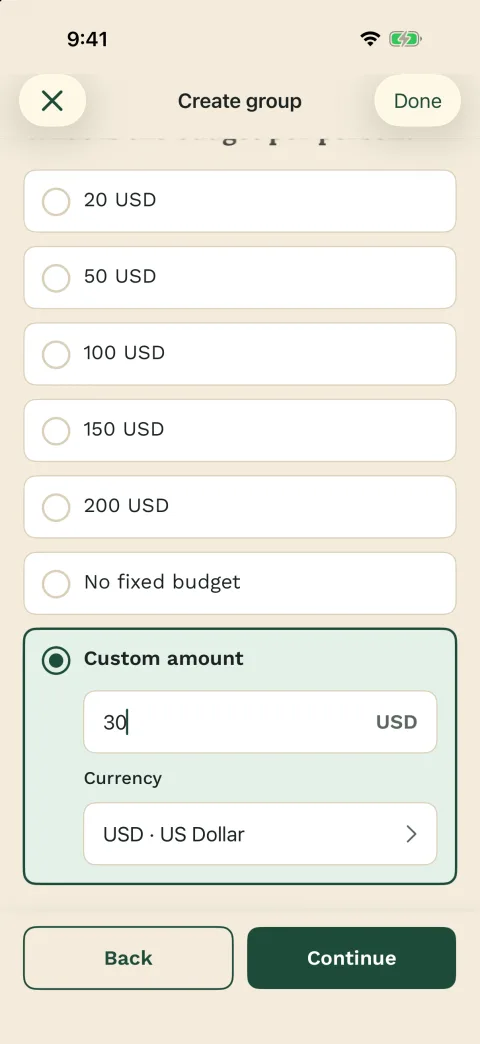
- Create the group
- Add the participant list
- Save exclusions
- Check budget and date

Sharing
Chat carries the links, not the assignments
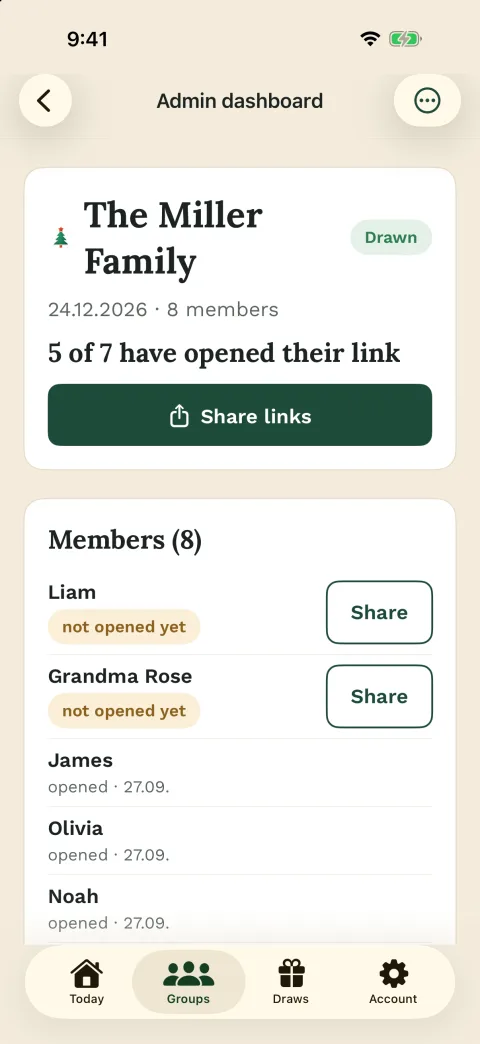
A shared chat is good for reminders, but it is a bad place to reveal assignments. Wichtlify keeps the draw private and gives each person a personal link for their own assignment.
You can share those links through the channel your group already uses. If your group is organized in WhatsApp, you can share Wichtlify links there without making WhatsApp responsible for the draw.
Useful for
- Browser participation
- Personal assignment links
- App sign-in with Apple, Google or email
- Manual sharing in group chat

Boundaries
The draw is digital; the gift rules still belong to your group
Wichtlify prevents self-matches, considers saved exclusions and shows every person only their own assignment. Optional wishes can help the giver choose a better gift.
Budget, gift style, shipping, handover and humor boundaries are still group agreements. If those decisions are not clear yet, set budget and gift rules first.

Wichtlify handles
- Secret assignments
- No self-matches
- Exclusions before the draw
- Optional wishes

For larger rounds
Pro matters when following up starts to feel like work
For a simple group, the standard setup is usually enough: add people, set exclusions, run the draw and share links. Larger groups often need more follow-up before and after the draw.
Pro can help in those cases. Smart Draw can consider previous assignments when the same group history is reused, Repair can help with exceptional changes after a draw, and scheduled reminders reduce manual follow-up.
Pro may help with
- Recurring yearly groups
- Late changes
- Scheduled reminders
- More organizer overview
Next steps
Useful next steps before you invite everyone
If the online setup is clear, the next practical questions are draw details, rules, chat sharing, low-friction participation and gift ideas.

Draw explained
Understand secret assignments, exclusions and personal links before sharing the draw.
Check how the draw works
Secret Santa rules
Set budget, date, gift limits, handover and exclusions before the online draw starts.
Set rules before the drawFamily Secret Santa
For relatives, couples, households, children and family members in different locations.
Prepare the family round
Secret Santa with kids
For children, parents or group leaders who need age-appropriate rules, small budgets and personal links.
Prepare the kids round online
Office Secret Santa
For teams, departments and holiday parties that need discreet assignments and office-safe rules.
Prepare the office roundSecret Santa on WhatsApp
Use Wichtlify for the setup and draw, then share personal links in the group chat.
Share links through WhatsAppSecret Santa without email
Plan a low-friction round when you do not want to collect participant email addresses first.
Invite with less frictionSecret Santa gift ideas
Use gift categories and budget thinking once the group setup and draw rules are clear.
Find ideas after setup
Club Secret Santa
For clubs, teams, youth groups and annual gatherings that need a secret draw without paper slips.
Prepare the club round onlineFAQ
Frequently asked questions
How does online Secret Santa work with Wichtlify?
You create a group, add participants, save exclusions before the draw, run the secret assignment and share personal links afterward.
Does everyone need the app?
No. The organizer manages the group in Wichtlify. Participants can open their personal link in the browser, while app users can sign in with Apple, Google or email.
Can I stop partners or household members from drawing each other?
Yes. Save those exclusions before the draw. Wichtlify considers them as long as a complete assignment is still possible.
What stays outside Wichtlify?
Gift budget, gift style, shipping, handover, humor boundaries and replacement rules are group decisions. Wichtlify supports the organization, secret draw, links, exclusions and optional wishes.
Can I share Wichtlify links through WhatsApp?
Yes. Wichtlify creates the personal links; you can share them through WhatsApp or another channel your group already uses. WhatsApp is the sharing channel, not the draw system.
When is Pro useful for online Secret Santa?
Pro is most useful for larger, recurring or changing groups, for example with Smart Draw, Repair, scheduled reminders or more organizer overview.
Start an online round without a public result list
Add participants, clarify exclusions and share personal links only after the private draw is ready.
Start a private online Secret Santa round