
Secret Santa generator
Create a group and draw the names
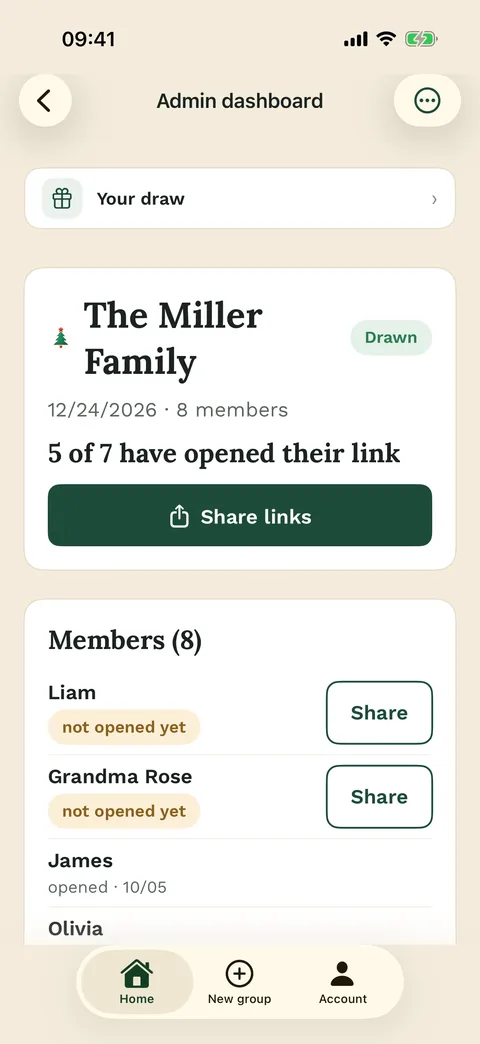
Add the names, set any exclusions and run the draw. Each person then gets their own link.
- Turn names into private Secret Santa links
- Avoid self-matches and saved exclusions
- Share one personal link per participant




Before the draw
A useful generator turns names into private Secret Santa links
For Secret Santa, the important work is not only mixing names. The organizer needs a correct participant list, clear exclusions and a way to keep each assignment secret after the draw.
Wichtlify is built for that private assignment: add the participants, save exclusions and run the draw only when the setup is ready. Afterward, every person gets their own link instead of a visible result list.

Generator setup
- Create the group
- Add participants
- Save exclusions
- Run the secret draw

Secret results
Personal links keep the assignments out of the group chat
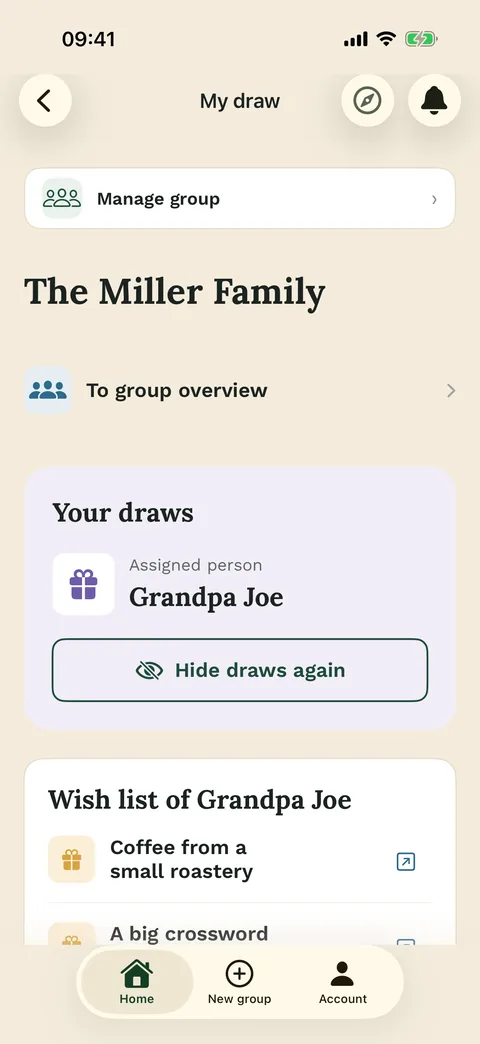
After the draw, the whole group does not see a public assignment list. Each person opens their own link and sees only who they are giving to. If wishes are enabled, the wishes of that person can appear there too.
That makes Wichtlify different from a visible random list. If you want to understand self-matches and exclusions before inviting everyone, see how the draw works.
Participants see
- Their own assignment
- Optional wishes
- Important group information
- No public result list

Exclusions
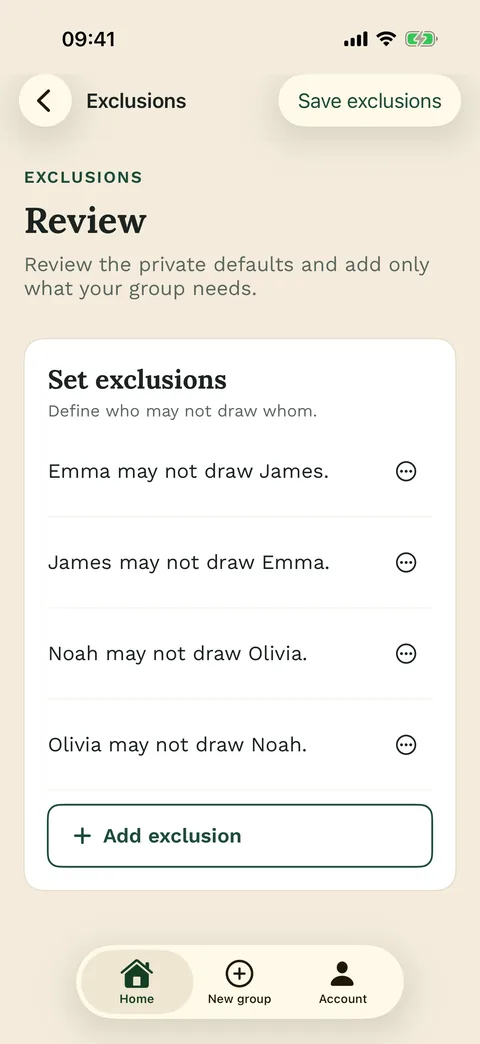
Exclusions need to be saved before the draw
Couples, household members or other combinations that should not be matched belong into the setup before anyone receives a result. Wichtlify can use those exclusions if a valid assignment is still possible.
If you do not want to collect participant email addresses first, you can still add people and share personal links. In that case, plan a no-email Secret Santa round.

Check first
- Who is on the list?
- Which matches are blocked?
- Can Wichtlify still create a valid draw?
- Are budget and date clear?

Changes and boundaries
Use Wichtlify when the result should stay personal and secret
If the participant list changes before the draw, update the group before you draw. If something changes after the draw, decide whether the group needs a new draw, a group agreement or a targeted correction.
For a visible open list, a single winner or a task shuffle, a simple open randomizer is usually the better fit. Wichtlify is strongest when every person should secretly receive one personal assignment with exclusions and private links.

Useful when
- Secret one-to-one assignments
- No public result list
- Exclusions before the draw
- Personal links
Next steps
If the draw setup is only part of the plan
A generator is often enough for the draw itself. If the group also needs rules, low-friction participation or gift direction, continue with the next practical step.
Secret Santa online
Use this when you want to plan the whole online round, not only the draw setup.
Prepare the full online round
Draw explained
Understand how Wichtlify prevents self-matches, uses exclusions and creates personal links.
Understand the assignment logicSecret Santa without email
For groups that want to add participants without collecting everyone's email address first.
Plan low-friction participationOnline draw
Helps you separate Wichtlify's secret personal draw from simple open random lists or single-winner draws.
Choose the right draw methodSecret Santa gift ideas
Helpful once the generator setup is ready and the group needs gift direction.
Add gift ideas after setup
Secret Santa exclusions
Use this when couples, households, siblings or teams should be blocked before the draw.
Prepare exclusions fairlyFAQ
Frequently asked questions
Who is the Secret Santa generator for?
It is for the organizer who wants to add participants, save exclusions, run a secret assignment and share personal links with the group.
Does the generator show everyone all names?
No. Wichtlify is built for secret personal assignments. Each participant sees only their own assignment and, if available, the wishes of the person they are giving to.
Can I set exclusions?
Yes. Exclusions must be saved before the draw so Wichtlify can consider them. If exclusions are too strict, a valid draw may not be possible.
Do participants need accounts?
The organizer needs an account to manage the group. Participants can use their personal link in the browser; app users can also sign in with Apple, Google or email.
What if the list changes?
If the list changes before the draw, update it before drawing. If it changes after the draw, decide whether the group needs a fresh draw or, for special cases, the free Repair.
Is Wichtlify a general random list generator?
No. Wichtlify is best for secret one-to-one assignments with exclusions and personal links. For visible random lists, single winners or task shuffles, a simple open randomizer is usually a better fit.
Turn names into private Secret Santa links
Add participants, save exclusions before the draw and share personal links after the private assignment is ready.
Create private Secret Santa links