
Secret Santa made simple
Organize Secret Santa in a few simple steps
Create your group, add the names and run the draw. Each person gets their own link showing who they are buying for.
- Keep names, date and budget in one place
- Choose which pairings should be avoided
- Send each participant their own link



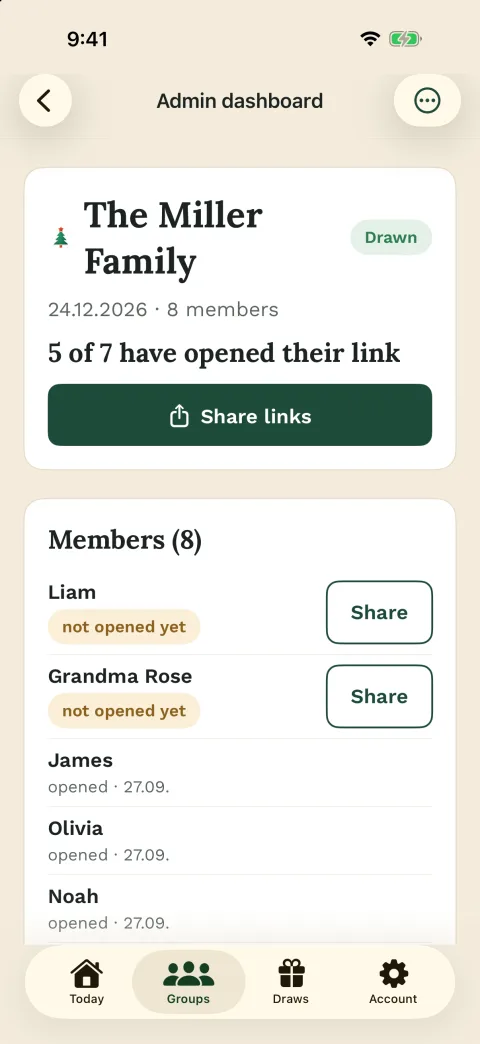



For every occasion
Christmas, a birthday or the office party





Built on trust
Rules that overwhelm no one




How it works
From names to the draw in a few steps
First, create the group and add the names. You can also save the date, budget and main rules in the group.
Then run the draw. Each person gets their own link showing who they are buying for. To learn more before you start, read about Secret Santa exclusions.
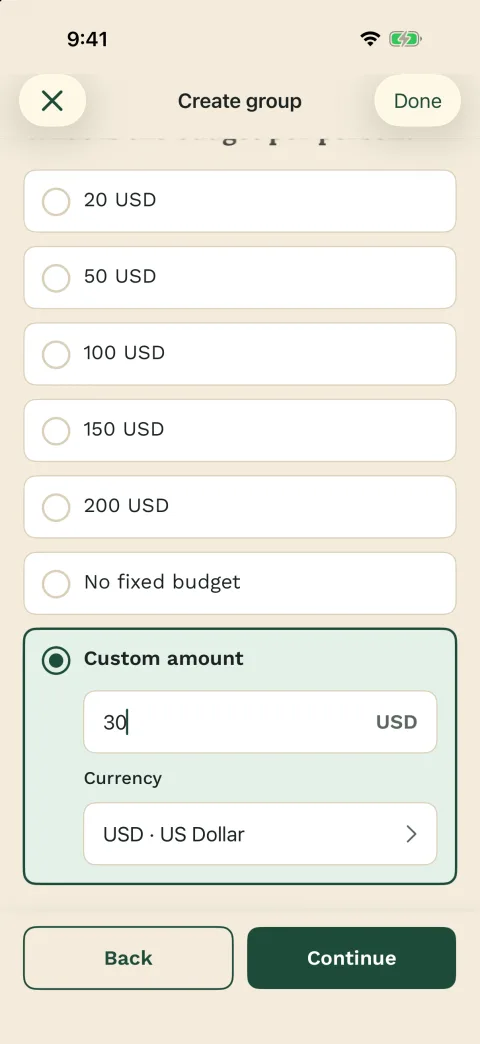
Basic steps
- Create the group
- Add participants
- Save exclusions
- Run the secret draw
Easy participation
Joining is as simple as opening a link
You organize the group. Everyone else opens their own link in the browser. You do not need their email addresses when adding them.
App users can also sign in with Apple, Google or email. If your group already uses chat, you can share Wichtlify links in WhatsApp.

Good for
- Families
- Friend groups
- Teams
- Clubs
- Chat-based groups
Private and practical
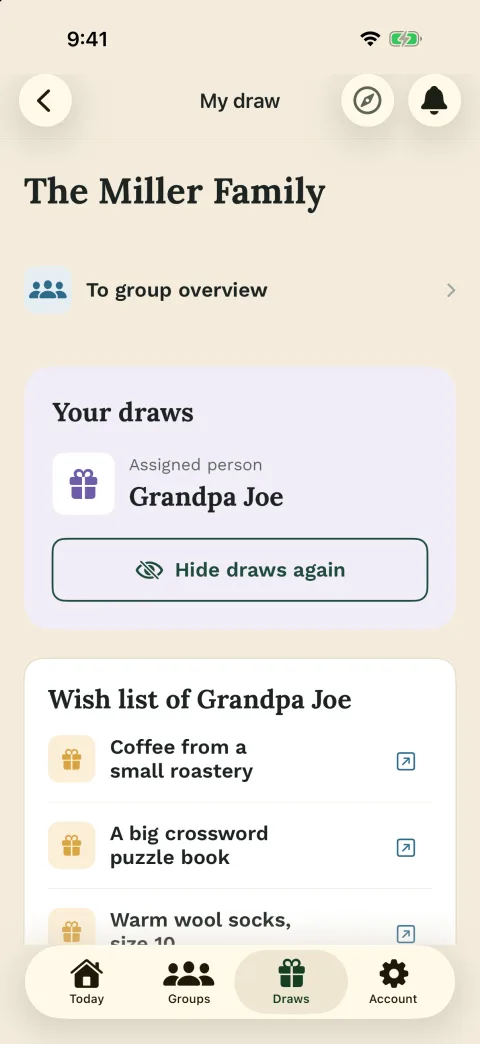
The result stays secret
Each person sees only who they are buying for. If that person added wishes, they also appear in the link.
Before the draw, you can choose who should not draw each other. This is useful for couples or people in the same household, as long as the group can still be drawn.

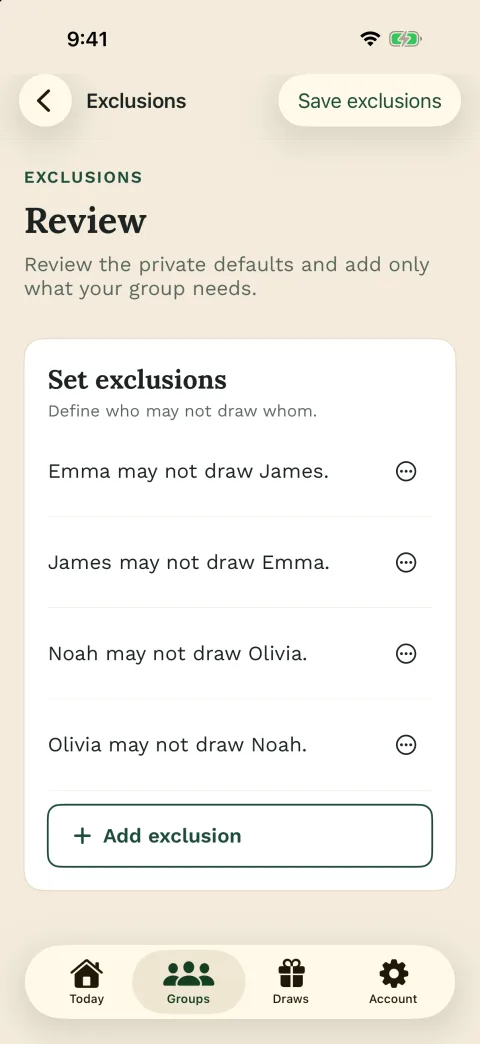
Wichtlify helps with
- Avoiding self-matches
- Using exclusions before the draw
- Sharing personal links
- Optional wish lists
Organizer overview
You can see what is still missing
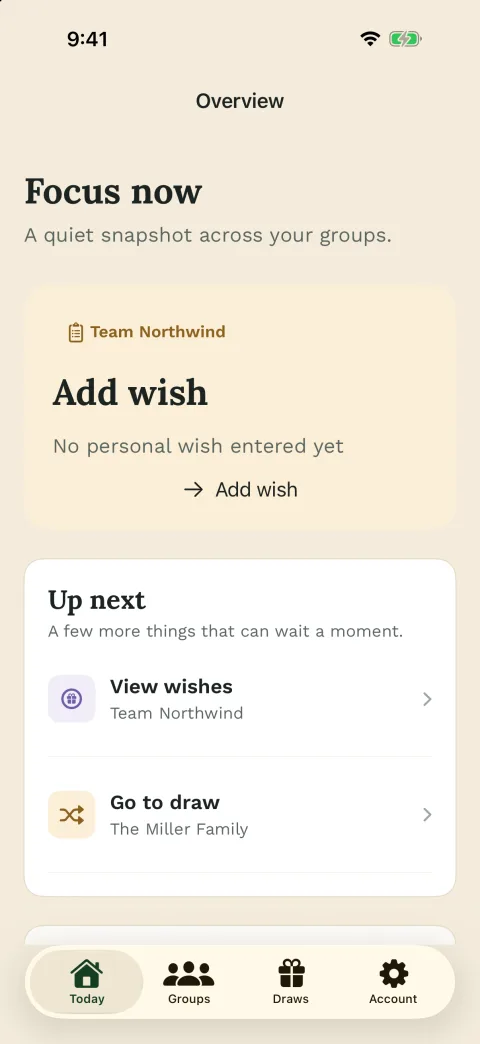
The dashboard shows what is ready and what still needs attention. That makes it easier to check the group before the draw.
Larger or returning groups can use extra Pro features, including reminders for missing wishes and tools for previous assignments or changes after the draw.

Helpful when
- The group is larger
- The round repeats each year
- Wishes are still missing
- Plans change late
Next steps
Helpful next steps for your Secret Santa round
Once the group basics are clear, the next questions are usually online setup, draw mechanics, rules, chat sharing and larger recurring groups.
Secret Santa online
For groups that want to prepare the whole round online and share personal links after the draw.
Prepare the online round with private linksFamily Secret Santa
For relatives, households, couples, children and family members who need a private draw with clear exclusions.
Prepare the family roundSecret Santa with kids
For families, classrooms, daycare or kids groups that need small budgets, clear rules and parent help.
Prepare the kids roundDraw explained
Shows how secret assignments, exclusions and personal links work together in Wichtlify.
Understand the draw before you share linksSecret Santa rules
Helps you settle budget, date, gift limits, handover and exclusions before the draw.
Set the rules before drawingSecret Santa invitation texts
Copy a message for email, WhatsApp, work, family, clubs, kids or the personal-link step after the draw.
Write the invitationSecret Santa exclusions
For couples, households, siblings or teams that should not draw each other before the secret assignment.
Prepare exclusions fairlySecret Santa on WhatsApp
Explains how to prepare the draw in Wichtlify and then share personal links in the group chat.
Share personal links in chatWichtlify Pro
For larger or recurring groups that need Smart Draw, Repair, scheduled reminders or more overview.
Check extra tools for bigger roundsClub Secret Santa
For sports clubs, choirs, youth groups or annual events with exclusions and personal links.
Prepare the club roundFAQ
Frequently asked questions
What does Wichtlify do for a Secret Santa round?
Wichtlify helps you create the group, add participants, save exclusions, run a secret draw and share personal links with the people taking part.
Does every participant need to register?
No. The organizer needs an account to manage the group. Participants can use their personal link on the web; app users can also sign in with Apple, Google or email.
Can Wichtlify prevent someone from drawing themselves?
Yes. The draw prevents self-matches. Exclusions saved before the draw are also considered as long as Wichtlify can still create a valid assignment.
What does the group still decide itself?
Budget, gift style, shipping, handover, humor boundaries and replacement rules remain group decisions. Wichtlify supports organization, the secret draw, personal links, exclusions and optional wishes.
Can participants add wish lists?
Yes. Wishes are optional. They help the giver choose a better gift, but the Secret Santa round also works without wish lists.
When is Wichtlify Pro worth considering?
Pro is mainly useful for larger, recurring or changing groups, for example with Smart Draw, Repair, scheduled reminders, admin messages or more insight into group readiness.
Ready to start your Secret Santa?
Create the group, add the names and run the draw when everything looks right.
Create a Secret Santa group