
Office Secret Santa
Organize Secret Santa at work
Set the participants, budget and date. After the draw, each person gets their own link showing who they are buying for.
- For teams, departments and holiday parties
- secret draw without a public result list
- exclusions for couples, close teammates or managers
- personal links for every participant
- clear rules for budget, date and gift style



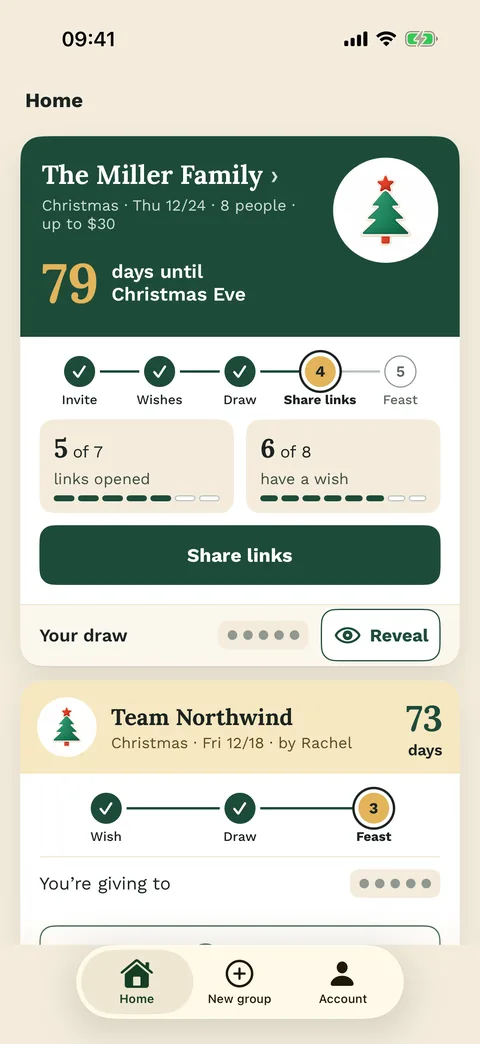

The problem
When a name list in the team chat stops being practical
In the workplace, Secret Santa often involves more people than a private gift exchange. Some coworkers work remotely, some are in different teams, and nobody wants to draw themselves or someone they should not be assigned to.
Wichtlify helps you prepare the round first: Who is joining, what is the budget, which exclusions matter and when will gifts be exchanged? Once everything is ready, Wichtlify creates the secret draw with personal links.
The organizer stays in control of the setup, while the results remain private for the participants.

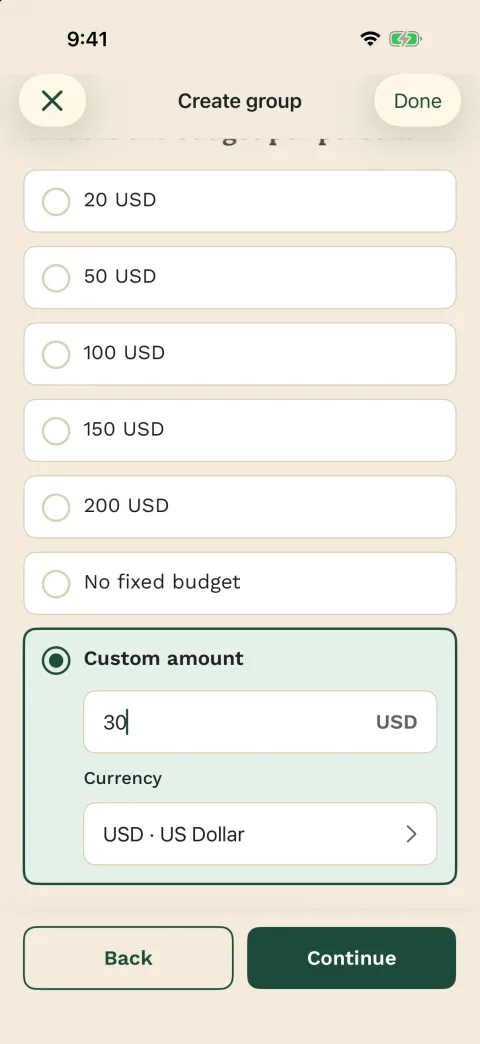
Decide before drawing
- Participants
- Budget and date
- Exclusions
- Gift style
- Handover or shipping

Preparation
Confirm the group and exclusions before drawing
Create a new Secret Santa group for your team, department or holiday party. Give it a clear name so everyone knows what the exchange is for.
Add the participants before starting the draw. Then decide who should not draw whom, such as couples, close teammates, managers or any pairing that would feel awkward.
Budget, gift style, date and exchange format are still group agreements. Wichtlify supports the draw part: participants, exclusions, secret assignment and personal links.
After the draw, share each link with the right participant. The team does not need a public assignment list in chat.
In Wichtlify
- Create the group
- Add coworkers
- Save exclusions
- Run the secret draw
- Share personal links

Agreement
A short set of rules prevents follow-up questions
A good office Secret Santa does not need complicated rules. It needs a clear frame that everyone understands. If you want to prepare the broader rule set, start with budget, gift rules and exclusions.
A fixed budget, a friendly gift style, clear limits and a real exchange date are usually enough. At work, neutral, useful or gently funny gifts are safer than very personal jokes.
Example message for your team chat
We’re doing office Secret Santa this year.
Budget: 15.
Please choose something friendly or practical, nothing embarrassing or too personal.
Gift exchange: holiday party on December 18.
The draw will happen through Wichtlify. I will send everyone their own private link.
Recommended rules
- Budget: 10, 15 or 20
- Gift style: friendly and neutral
- Clear gift limits
- Signup deadline
- Exclusions before the draw

The draw
After the draw, everyone sees only their own assignment
At work, the draw should stay discreet. If the results are shared openly or handled manually, mistakes and awkward moments can happen quickly.
Wichtlify separates organization from results. The organizer manages the group, but each participant only sees their own assignment through their personal link. That keeps the exchange simple, fair and private.
Avoids
- Screenshots in chat
- Public assignment lists
- Self-matches
- Forwarded result messages

Taking part
Remote or in the office, the personal link still reaches everyone
Whether you are organizing Secret Santa for five people in one office or thirty coworkers across different locations, Wichtlify works for office groups where each person should privately give to one other person.
For remote teams, you can share personal links in chat, email or your internal communication tool. Gifts can be exchanged at an event or sent by mail. Wichtlify does not manage shipping, but it keeps the assignment itself out of the public chat.
Works for
- Small teams
- Departments
- Holiday parties
- Remote groups

The gift
All that remains is choosing something that fits the team
Office gifts work best when they are friendly, useful and not too personal. For more budget and group-tone examples, use Secret Santa gift ideas; for the common 10 budget, use Secret Santa gifts under 10 after the draw setup is clear.
Good options include coffee, tea, small snack sets, notebooks, pens, desk accessories, mugs, socks, small everyday gadgets, plants, candles or a simple puzzle game.
It is safer to avoid very personal gifts, alcohol if you are unsure, political or suggestive joke items, gifts that embarrass someone and anything far above the agreed budget.
Safer directions
- Friendly
- Practical
- Neutral
- On budget
- Not embarrassing
Next steps
Useful next steps for an office round
Once the office context is clear, the next questions are usually online setup, rules, gift ideas and how to share personal links.
Secret Santa online
Prepare the full online round with participants, exclusions, secret assignments and personal links.
Prepare the online round
Secret Santa rules
Set budget, date, gift expectations, exclusions and the personal-link rule before the draw.
Set office rulesSecret Santa gift ideas
Find neutral, friendly gift directions by budget, group tone and how well coworkers know each other.
Choose office-safe ideasSecret Santa on WhatsApp
Use your existing chat for rules and link sharing while Wichtlify keeps the draw private.
Share links in chatSecret Santa without email
Useful when you want to add participants by name first and share personal links manually.
Plan low-friction participationFAQ
Frequently asked questions
How do I organize office Secret Santa online?
Create a group, add coworkers, save exclusions, define budget and date, then start the secret draw. After that, share the personal links with the participants.
Does everyone need to register?
The organizer needs an account to manage the group. Participants can open their result through their personal link; app users can also sign in with Apple, Google or email.
Can I prevent certain coworkers from drawing each other?
Yes. You can set exclusions before the draw, for example for couples, close teammates or managers. A complete valid assignment still needs to be possible.
What budget works for office Secret Santa?
A range of 10 to 20 often works well. The important thing is that the budget feels comfortable for everyone and is clear before the draw.
Does this work for remote teams?
Yes. You can share the personal links digitally and exchange gifts later in person or by mail. Shipping stays a group agreement.
What should we avoid for office Secret Santa?
Avoid embarrassing, offensive, overly personal or overly expensive gifts. Friendly and neutral gifts are usually safer at work.
Start office Secret Santa without paper slips or chat confusion
Create the group, add coworkers, save exclusions and share personal links after the secret draw is ready.
Start your office Secret Santa