
Secret Santa on WhatsApp
Organize Secret Santa with WhatsApp
Set up the group and run the draw in Wichtlify. Then send each person their own link through WhatsApp.
- Run the secret draw outside the group chat
- Share one personal link with each participant
- Keep assignments, wishes and exclusions in Wichtlify




Clear split
Use WhatsApp for messages, not for the draw result
A WhatsApp group is useful because many groups already coordinate there. It is not a good place to post Secret Santa assignments, because one visible message can ruin the surprise.
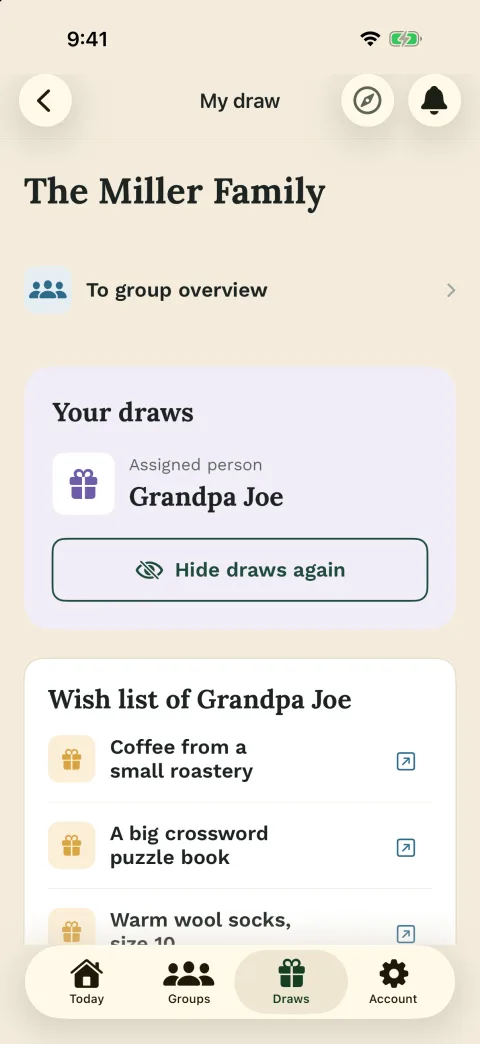
With Wichtlify, the organizer prepares the group, runs the secret draw and shares personal links afterward. Each participant opens their own link and sees only the person they should give a gift to.
Best use
- Invite people in the chat
- Share rules and deadline
- Send personal links
- Keep assignments private

Setup
Prepare the round before you send the WhatsApp text
Create the group in Wichtlify, add the participants and save any exclusions before the draw. If couples, siblings or close colleagues should not draw each other, those exclusions need to be set before the assignment is created.
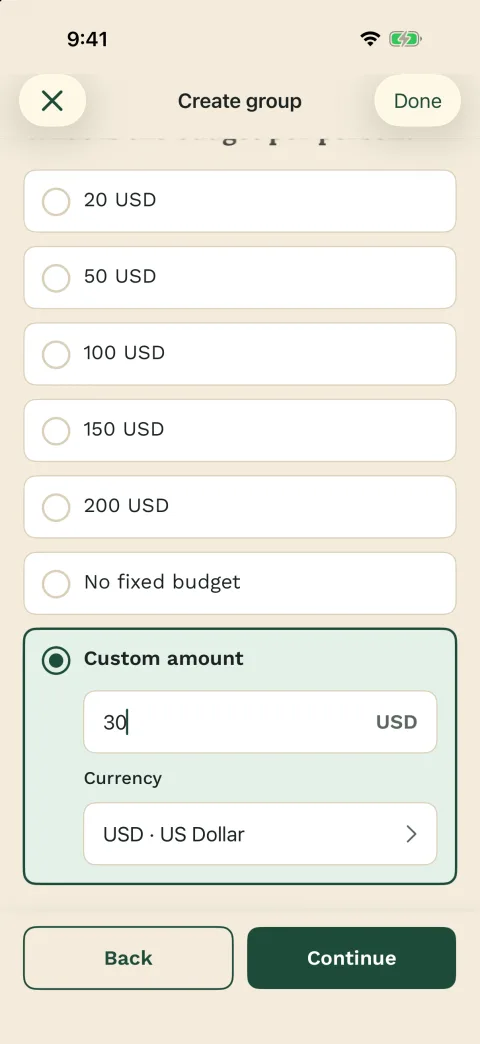
It also helps to settle budget, date and gift rules first. If that is still open, set the Secret Santa rules before you send everyone their link.
Before sharing links
- Participant names are ready
- Exclusions are saved
- Budget is clear
- Date and deadline are known

Template
A short WhatsApp text keeps the chat useful
Send the rules and personal links without turning the chat into the draw itself. The template is intentionally short, so the message gives the group what they need before they open their own link.
WhatsApp template
We are organizing Secret Santa with Wichtlify this year.
Please open only your own link and do not forward it.

Budget: __
Gift by: __
Handover: __
Gift style: __
Please join by: __
If your link does not work, message me.
Include
- Budget and gift deadline
- Handover plan
- Gift style
- Own-link rule

Participation
Participants can open their personal link with little effort
The organizer needs Wichtlify to create and manage the round. Participants can use the browser through their personal link, while app users can sign in with Apple, Google or email.
That keeps the barrier low for groups where not everyone wants to install an app or create an account. If collecting email addresses would slow the group down, plan participation through personal links.
Participants see
- Their own assignment
- Optional wishes
- Group notes
- No shared result list

Manual sharing
Share links manually in the chat
Wichtlify is not a WhatsApp bot. It does not post automatic WhatsApp reminders, deliver WhatsApp messages or read your chat.
The useful part is simpler: Wichtlify creates the secret assignments and personal links, and you manually share those links in the WhatsApp chat or in direct messages.
Important
- No WhatsApp automation
- No public assignment list
- Manual link sharing
- Correct link goes to the right person
Next steps
Next steps for a WhatsApp-based round
After the WhatsApp sharing plan is clear, the next question is usually setup, rules, easier participation or the draw logic.
Secret Santa online
For the complete online setup: create the group, add people, save exclusions, draw and share personal links.
Plan the online roundSecret Santa without email
Useful when participants should join through personal links instead of every person entering an email address first.
Keep participation simple
Secret Santa rules
Set budget, gift type, deadline, exclusions and reveal expectations before links are sent.
Set rules before sharingSecret Santa invitation texts
Copy invitation, reminder and personal-link messages for chat or email.
Write the chat message
Draw explained
Understand how Wichtlify prevents self-matches, handles exclusions and creates personal assignments.
Understand the drawSecret Santa gift ideas
For gift direction after the round has a budget and each person knows whom they are giving to.
Find gift direction
Secret Santa with kids
For sharing rules and personal links with parents, families or group leaders in an existing chat.
Prepare the kids chat roundFAQ
Frequently asked questions
Can I organize Secret Santa through WhatsApp?
Yes. Use WhatsApp for the invitation, rules and personal links. The secret draw itself should run in Wichtlify so assignments are not posted in the group chat.
Does Wichtlify send WhatsApp messages automatically?
No. Wichtlify does not send automated WhatsApp messages. The organizer copies or shares the personal links manually.
Do participants need the app?
No. Participants can open their personal link in the browser. App users can also sign in with Apple, Google or email.
Should I send all links into the group chat?
No. Each personal link belongs to one participant. Send the right link directly to the right person, or make very clear which link belongs to whom.
Can wishes be used in a WhatsApp round?
Yes. If participants add wishes in Wichtlify, the assigned giver can see them through the personal link.
Can I use exclusions when sharing through WhatsApp?
Yes. Exclusions are set in Wichtlify before the draw and still apply even if you share the links through WhatsApp afterward.
Create the round, then share personal links in WhatsApp
Let Wichtlify handle the secret draw and use WhatsApp for the message your group already expects.
Prepare the WhatsApp round