
Letter to parents
Secret Santa letter to parents, ready to fill in
Fill in the budget and dates and the letter to parents writes itself. Wichtlify, a free website and app for Secret Santa, then draws in secret, and each family sees only its own child’s link.
- A ready-made letter for reception, primary school, nursery and clubs
- Parents open the link in the browser, with no account and no app; the app exists for iPhone and Android
- Copy it into your school’s messaging system or print it for book bags







How it works
After the letter: four steps to the party
-
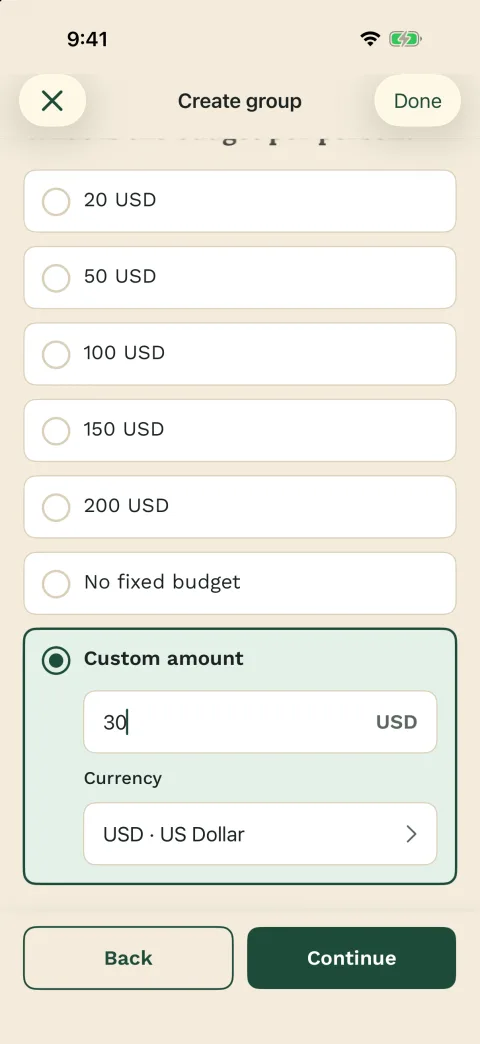
 Create the groupOnce the reply date has passed, enter the occasion, the date presents are opened and the budget (£ or €).
-
 Add the childrenOnly the first names of the children taking part. Siblings you set as an exclusion, so they never draw each other.
-
 Draw in secretNobody draws themselves, and nobody sees the whole list, not even you.
-
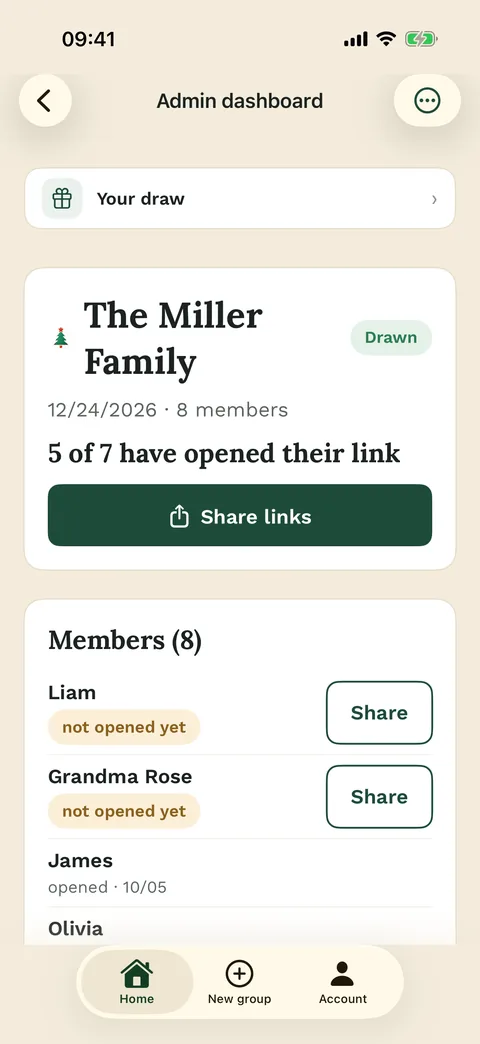
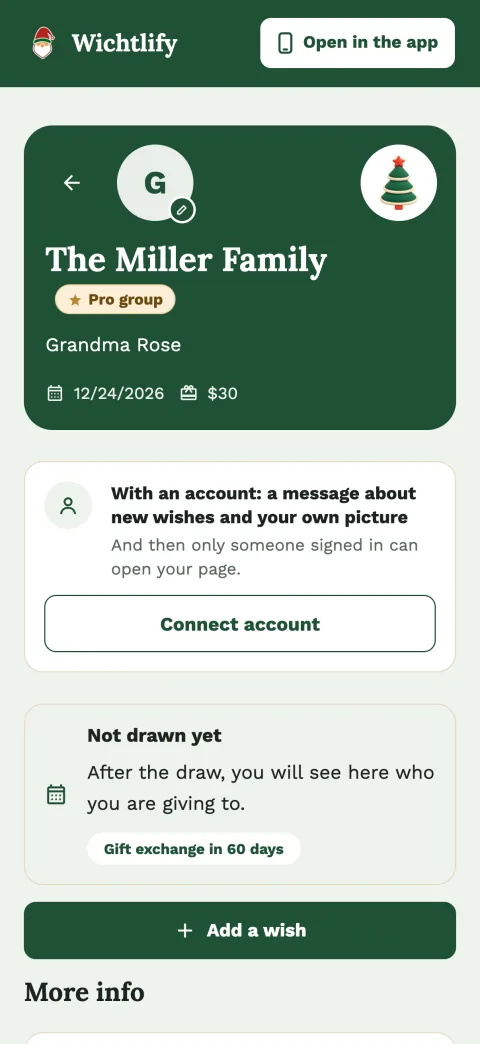
 Send the links to parentsEach child has a personal link. Parents open it in the browser and see whom their child is buying for. Only you, the organiser, need an account.
Letter generator
Fill in the letter home once, then copy or print it
The letter updates as you type. Fields you leave empty stay as placeholders, so you can also print a blank version and write the details by hand.
It also tells parents how the draw works and names Wichtlify, the free website and app that makes it, so they know what the link they receive is for.
Your letter
Dear parents and carers,

[class/group] would like to do a Secret Santa before the end of term: each child secretly draws another child in the class and brings them a small present.

Taking part is optional. Please let us know by [date] whether your child would like to join in. If you give us an email address, your child’s link will be sent there.

Budget: no more than [amount in £ or €]. Homemade presents are very welcome. Please no food, as some children have allergies.
Presents: wrapped and labelled only with the name of the child receiving them, by [date].
Opening: on [date] in class.

We will draw with Wichtlify, a free website for Secret Santa, so that no child draws themselves and no slip gets lost. Your child does not need a phone or an account, and neither do you: you will receive your child’s personal link, which opens in your browser and shows, after the draw, who your child is buying for. You can then tell them.

If you have any questions, please contact [name/contact].

Many thanks,
[name]
Covered in the letter
- Taking part is optional, with a reply date
- The budget, and homemade presents are welcome
- When presents come in and when they are opened
- How each child learns whom they are buying for

A reception class in Derry
Mr O’Neill answers the parents’ questions before they ask
Mr O’Neill teaches a reception class in Derry. He puts everything parents need into one letter: £4 a present, replies by Tuesday 17 November and presents opened in class on Monday 21 December.
He pastes the same letter into the school’s messaging system and prints copies for the book bags. Parents who give an email address receive their child’s link there.

Nursery or school
In nursery parents open the link, in older years children often do
In nursery or reception, parents open the link and tell their child, so keep the letter’s line “You can then tell them.” and, if you like, add that staff will help the children wrap their presents in class. For Years 5 and 6, drop “You can then tell them.”, because older children often open their own link.
For Brownies, Cubs or a sports club, replace the class with the group and the opening with your last session before Christmas. For a family or club exchange, the page on kids’ Secret Santa outside school covers the rules children need.
If your Secret Santa has a theme, such as books only or homemade only, name it next to the budget. Parents who ask what £4 buys will find ideas for presents under £5. If staff or parents run their own exchange, use invitation wording for adult groups instead.


After the replies
The draw waits for the reply date, and the organiser sees no list
Mr O’Neill draws once the reply date has passed, so no child draws someone who is not taking part. He sees which links have been opened and who has not yet added wishes, but never who drew whom. A free reminder prompts the families, in the link and, once an email address is confirmed, by email.
Where the school has no email address, he sends the link in a message or opens it with the parent at pick-up. If a child leaves after the draw, the emergency repair gives new names only to the children affected, and everyone else keeps theirs. A child who joins late is added and the draw is run again, ideally before any family has opened its child’s link.
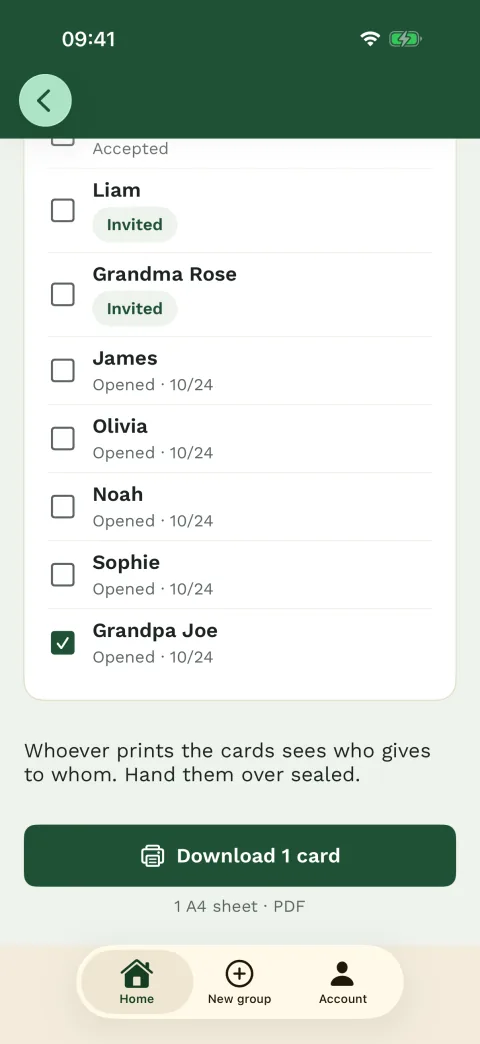
For families with no phone or email at all, Wichtlify Pro offers printed cards. Pro is optional, €4.99 a year, renews automatically, is bought in the iOS or Android app and covers every group on your account. Each card is folded, with the child’s name outside and the child they are buying for inside. Whoever prints the cards sees the names, so in reception that is usually the teacher.

FAQ
Frequently asked questions
May I use and change the letter freely?
Yes. Copy the text, fill in the placeholders and adapt it to your class or group.
May I leave Wichtlify out of the letter?
Yes. Parents need the budget, the dates and the reply date. If you drop the sentence naming Wichtlify, keep the one about the personal link, so they know to expect it.
Which details of the children does the draw need?
Only the first names of the children taking part. An email address is optional and belongs to the parents, not the child.
Next steps
Explore Wichtlify
Secret Santa at school
The whole plan for a class: timeline, budget, draw without slips and the day itself.
Plan the class Secret SantaSecret Santa with kids
Rules for children and links through parents, for a Secret Santa outside school.
Plan with childrenSecret Santa invitation messages
Short messages for chat and email, written for adults who take part themselves.
See the messages
Secret Santa rules
Budget, gift guidelines and deadlines, agreed before the letter goes out.
Set the rulesSend the letter, then set up the draw
Create the group once the replies are in and add the children whose parents said yes.
Create the group