
For family, friends and the office
Organise Secret Santa: one group, one draw, a link for everyone
Family, friends or colleagues: you set it up once. Nobody texts names around, and nobody has to keep the whole draw secret.
- Free to organise and draw
- No sign-up for anyone taking part
- Each person sees only their own name









For every occasion
Christmas, a birthday or the office party



Three simple rules
Nobody has to read a manual first



The Douglas sisters
Five sisters in three towns stopped texting each other the names
Every Christmas, Kirsty and her four sisters, Isla, Eilidh, Fiona and Morag, sorted out their Secret Santa by text message, and every year someone found out too much. They live in three different towns, so pulling slips from a hat at the table was never an option.
This year Kirsty took a few minutes to create the group and add the names: five sisters, a £30 budget and the swap at her house in Aberdeen.
A few days later she ran the draw. Each sister got her own link with her one name in it.

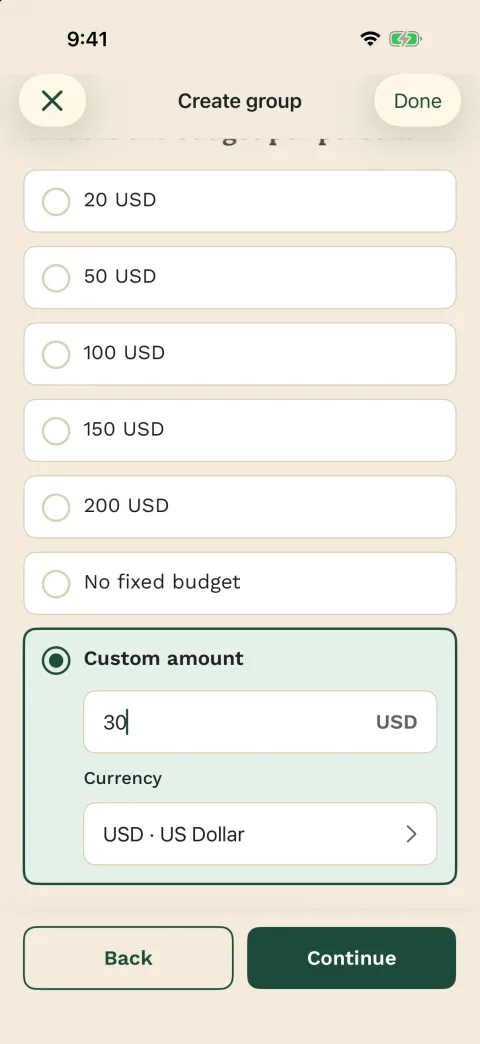
Kirsty’s calendar
- Set up:
- Monday 9 November 2026
- Drawn:
- Saturday 14 November
- Swap:
- Sunday 20 December, at Kirsty’s
For everyone else
Taking part only needs the personal link
Isla, Eilidh, Fiona and Morag did not install anything or sign up. Their link opens in the browser. Anyone who prefers the app can sign in with Apple, Google or email, and sees the same name there.
Each sister added a few wishes in her link, so the others had something to go on. If a list stays empty, the giver can still turn to practical gift ideas by budget.
Where Kirsty had stored an email address, Wichtlify emailed the invitation link. The other sisters got theirs from her in the family WhatsApp chat, one message each.

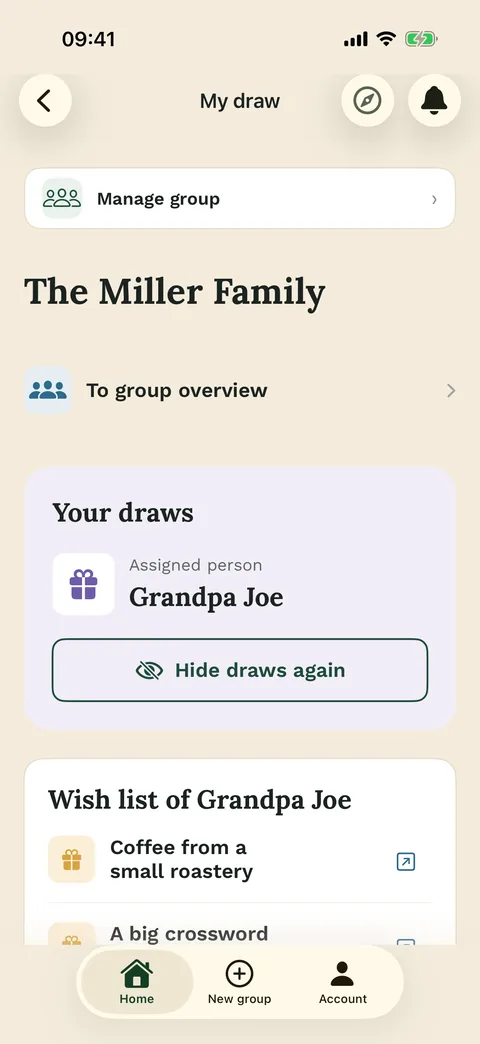
What each link shows
- The name you drew
- That person’s wishes, if there are any
- Your own wish list to fill in
Secret and fair
Flatmates stay apart, and the result stays secret
Exclusions let you keep couples from drawing each other, or anyone else who would guess too easily. Fiona and Morag share a flat, so Kirsty made sure neither drew the other. If exclusions leave no possible draw, Wichtlify says so before drawing.
Nobody draws themselves. Two sisters can still end up drawing each other: that is chance, not a mistake. If you want the details first, read how the secret draw works.

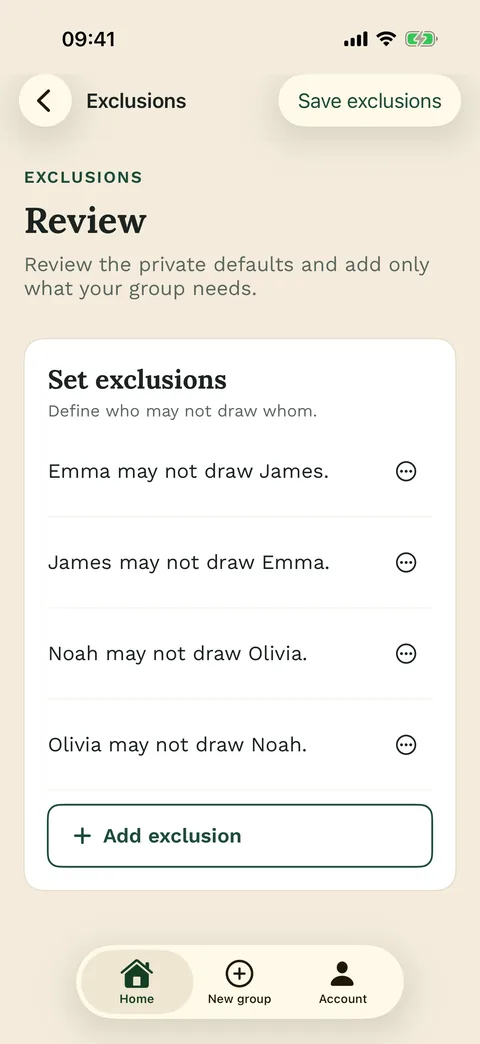
Why Wichtlify
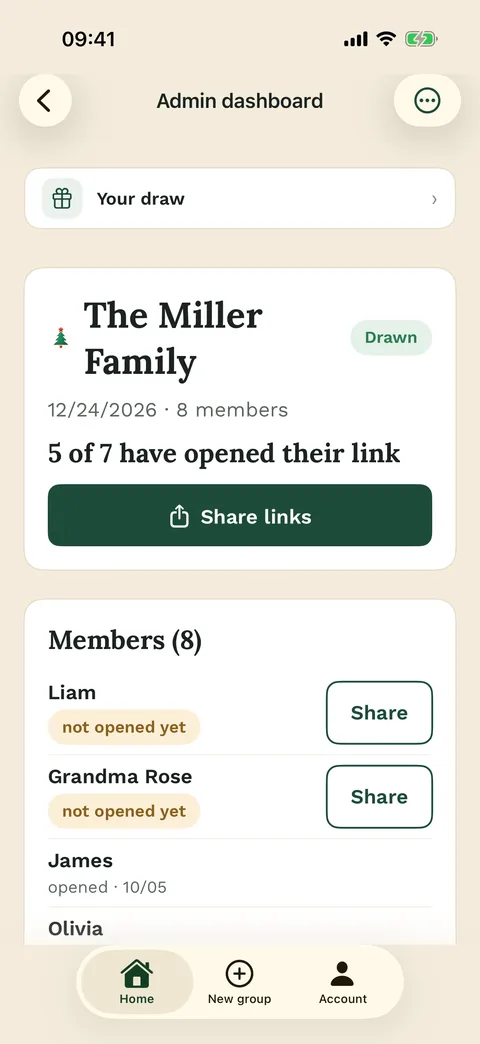
Kirsty sees what is missing, not who drew whom
In the overview Kirsty could see who had opened their link and how many wish lists were still empty, without seeing whose. The wish reminder went out without her: a notice in the link, a push in the app and an email to anyone with a confirmed address.
If a sister drops out after the draw, the emergency repair asks who steps in, and everyone else keeps their person. Next year Kirsty can repeat the group, and the draw avoids this year’s pairs.
All of that is free. Wichtlify Pro, bought once by whoever created the group, adds reminder dates you choose, wish images, anonymous questions and printable cards; whoever prints the cards sees the names.
Wichtlify needs at least three people and takes up to 100 on the web. It sends no WhatsApp messages or texts, so you share the links yourself wherever there is no email address.

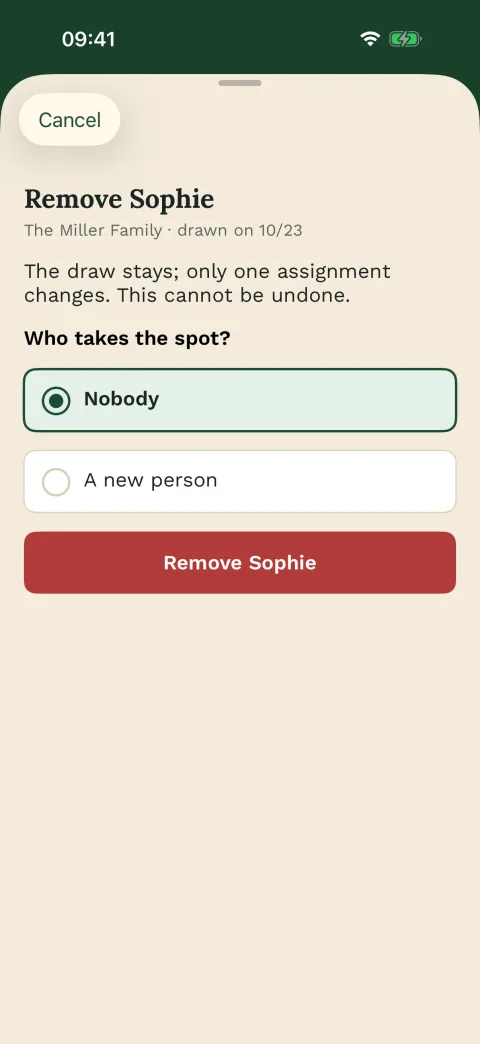
Next steps
Find the page for your group
Every group has its own questions. Start with the one that sounds like yours.
Family Secret Santa
For relatives, households and couples, with grandparents who join by link.
Plan the family Secret Santa
Office Secret Santa
For colleagues and the work Christmas do, with a budget everyone can live with.
Plan Secret Santa at workVirtual Secret Santa
For groups who never meet in one place and post their gifts instead.
Run Secret Santa from afarSecret Santa rules
Settle the budget, the date, gift limits and the handover before anyone draws.
Set the rules firstFAQ
Frequently asked questions
Do we have to pay to organise and draw?
No. Organising and drawing are free. Wichtlify Pro, bought once by whoever created the group, adds extras such as reminder dates you choose and printable cards.
What if someone wants to join after the draw?
Then you draw again, before anyone has looked at their link. Only someone who drops out after the draw is replaced without a new one.
What does the group still decide itself?
Gift style, whether you post or hand over the presents, and where the humour stops. Wichtlify holds the names, the draw, the budget and the date, not the parcels.
Start with the group name
You can add the people straight afterwards, and draw whenever everyone is in.
Create your Secret Santa group