
Assign people in secret
Randomly assign people, one secret name each
Wichtlify is a free website and app for Secret Santa: add the names and it gives each person one other in secret, for a present, card or small token. Each person sees only their own result in their link.
- Nobody gets themselves, and nobody sees the whole list, not even you
- Pairs who should not get each other can be kept apart
- Free: the group, the assignment and the links cost nothing







How it works
Assigning people in four steps
-
 Create the groupName the occasion and set the dates, and a budget if there is a token, such as £3 (or €3).
-
 Add the namesAnyone who must not get a particular person, such as a job-share partner, you set as an exclusion.
-
 Assign in secretEach person gets exactly one other person. Nobody gets themselves, and nobody sees the whole list, not even you.
-
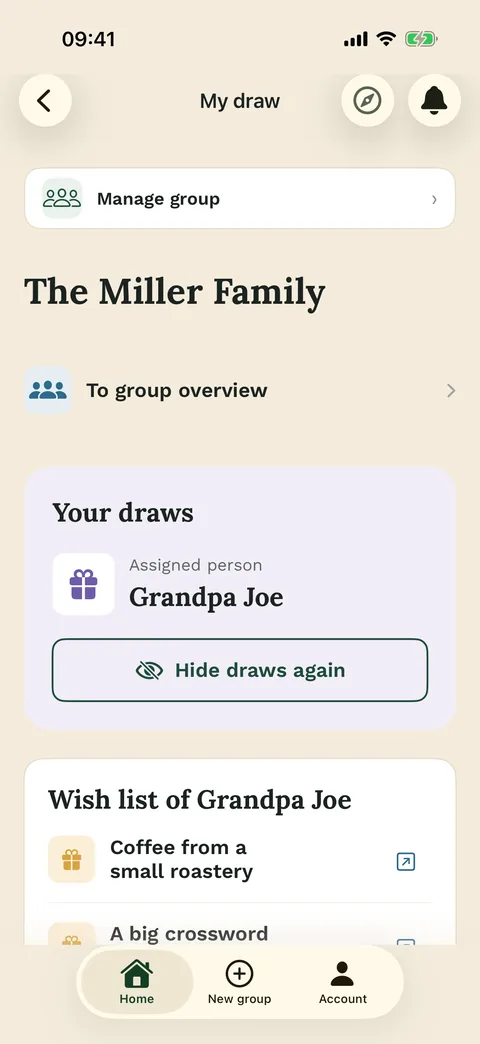
 Send the linksYou send each person their own link, by WhatsApp or email. In it they can add wishes and, after the draw, see their person.

What it is for
Every person gets one other person in secret, for a present, a card or a kindness
Wichtlify fits when each person should get exactly one other: for a present, a card or a small kindness. You add everyone, Wichtlify draws, and each person sees only their own person in their link. No overall list exists, not even for you.
Only the organiser needs an account. Everyone else opens their link in the browser, with no account and no app; the app is there for iPhone and Android. Creating the group, assigning and sharing the links cost nothing.
Wichtlify does not pick winners, set an order or build teams, tasks or seats: each person always gets exactly one other person.


A staff room in Kilkenny
Ciara gives twenty teachers one secret colleague each
Ciara teaches second class at a primary school in Kilkenny. To start the school year, the 20 staff hold a secret buddy week from Monday 14 September. Each teacher quietly looks after one colleague with small kindnesses, such as a coffee on the desk or a treat of about £3 (or €3). On the Friday everyone guesses who their buddy was.
Early in September Ciara creates the group, adds the 20 first names with the budget and the week, and sends each colleague their own link. Two teachers are away on a course, but nobody needs to be present: Wichtlify does the draw, and every link is ready once a person is added.
The week before buddy week she runs the draw. Aoife opens her link and sees Declan, with the budget and the dates underneath.
Who must not get whom
Exclusions keep chosen people apart, in both directions or in one
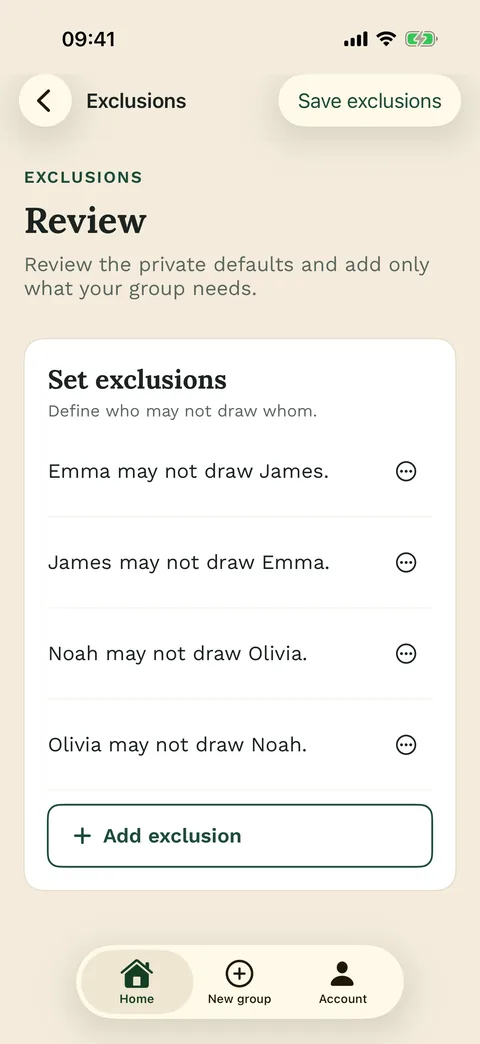
An exclusion says who must not get whom. Siobhan and Pádraig share a job and the same class, so a secret between them would last about an hour. Ciara adds them as an exclusion in both directions. If only one of two people should be kept from the other, an exclusion can run one way only; many exclusions at once are covered separately.
Exclusions always hold, and nobody gets themselves. If they leave no possible draw, Wichtlify says so before assigning, so you can loosen one.
Assignments run one way: Aoife looking after Declan says nothing about who looks after Aoife. Two people can end up with each other by chance, but it is never planned, so nobody can work out their buddy from whom they got.


Wishes and drop-outs
Wishes go in the link, and a drop-out does not mean starting again
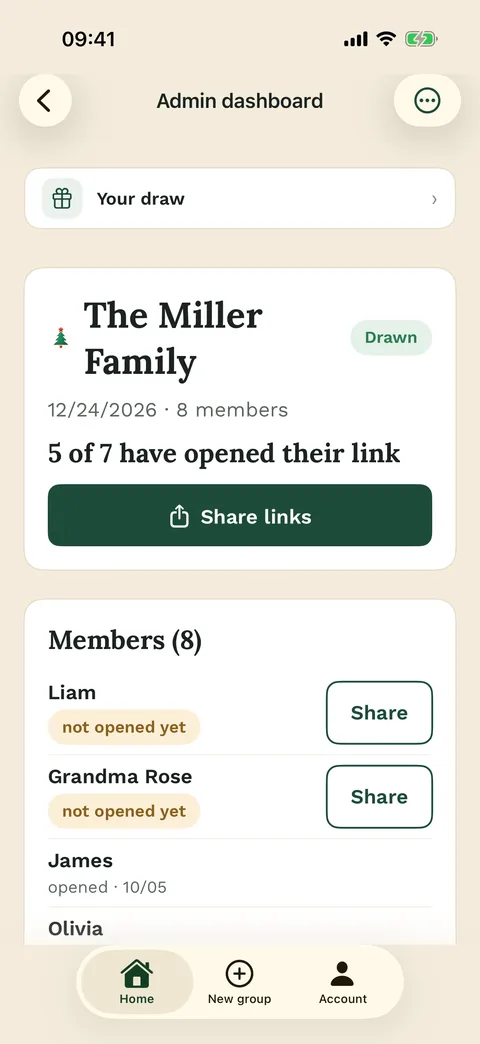
Each link exists from the moment its person is added, and in it people can write a short wish list, such as “no chocolate”. Ciara sees who has opened their link and whose list is still empty, but never who got whom.
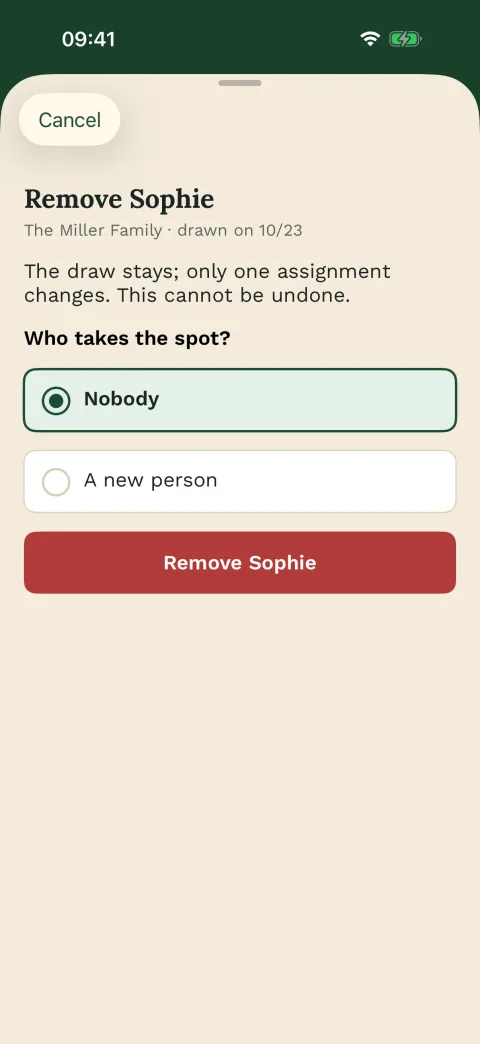
On the Tuesday of buddy week, Declan is off sick for the rest of the week. Ciara removes him, Wichtlify asks who steps into his place, and everyone else keeps their person. This emergency repair is free.
After buddy week, a switch in the group lets everyone learn who looked after them, and only that; it is free too. Next September Ciara repeats the group, and the draw avoids this year’s buddies.
Message to the group
A short message gets everyone in before the draw
Copy this, replace the brackets and send it before the links go out.
Short message
Hi everyone,
We're each getting one secret name from the group: you'll do something small for that person during buddy week, from [date] to [date], about £3 (or €3). Please tell me by [date] if you're in, and whether there's anyone you shouldn't get.

You'll each get a link of your own. After the draw it shows only your name, so please keep it to yourself.
Other uses
A course, a year-end thank-you or a gift among friends can assign people the same way
In a course, each person writes a card to one other for the last lesson. At a team’s year-end, each person thanks one colleague on a card. Among friends it can be a small present for one other person: a friends’ account of a gift exchange tells how that went, and the gift exchange draw shows how to plan it with a budget and a date.
FAQ
Frequently asked questions
How small or large can the group be?
You need at least three people. On the web, a group can have up to 100.
Can someone join after the draw?
Yes. Add them and draw again, best before anyone has looked at their person.
Next steps
More ways to run a secret draw
Choose the next step that matches your group.

Draw names online
For groups that think of it as names from a hat, with a link for each person.
Draw names privatelyOnline draw
How an online draw gives each person one secret name, with no list for anyone to see.
See the online drawGift exchange draw
When everyone brings one present for one person, with a budget and a date.
Prepare a gift exchangeAdd the names, then draw when everyone is in
Name your group and add the first names, the budget and the dates. Run the draw once the last person has said yes.
Create the group – free